
Korn Ferry Talent Suite
The Korn Ferry Talent Suite is an enterprise SaaS platform supporting talent management, workforce analytics, and performance insights across global organizations.
Company
Korn Ferry (KFTS)
Role
Senior UX/UI Designer
Timeline
Jan 2025 - Dec 2025



As a Senior UX/UI Designer within the Korn Ferry Talent Suite Platform Design team, I focused on designing scalable, user-centered interfaces for core “under-the-hood” features which power the Suite’s SaaS experience. My work spanned foundational platform capabilities including user preferences, authentication flows, onboarding, user role access and permissions, account settings, and data syncing. Collaborating closely with the Lead Product Designer, engineers, and platform product managers, I translated complex backend requirements into intuitive UI flows and wireframes while maintaining consistency across the broader Korn Ferry design system. I also contributed to refining Figma component libraries, improving accessibility alignment, and supporting seamless design-to-dev handoff across multiple platform squads.
My Role.
Deliverables
Low-to-Hi Fidelity Mockups
Interactive Prototypes
Design System Components
Design Tools
Figma / Figjam / FigmaMake
Adobe CC
Productivity Tools
Jira
Confluence
Microsoft 365
Product/Feature 01
KFTS Future-state AI Assistance
Project Overview
AI Assistance in KFTS is intended to be a context-aware, always-available partner that enhances productivity and reduces friction across the platform. By combining powerful capabilities—search and discovery, summarization of key information, suggestive assistance, automated content generation, data-driven insights, and intelligent self-service support—the assistant helps users navigate complex workflows with ease.
-
![]()
Role & Collaboration
As a Senior UX/UI Designer, I collaborated with product, engineering, and stakeholders to design and refine complex enterprise workflows while maintaining system consistency across the platform.
-
![]()
Problem
The KFTS platform served 4 user personas with distinct permissions and workflows, increasing complexity as new features were introduced. The challenge was improving usability and cohesion without disrupting existing enterprise functionality, as well as initiating the exploration of a future-state platform with AI assistance features.
-
![]()
Approach
The UX approach combined stakeholder discovery, heuristic evaluation, and comparative analysis of enterprise SaaS platforms. Work focused on auditing workflows, standardizing patterns, and applying UX best practices for data-heavy, role-based systems.
-
![]()
Solution & Outcome
UX/UI work across onboarding, user access management, data sync, and AI-assisted features was delivered in close collaboration with engineering through implementation and handoff, resulting in a cohesive enterprise experience that supports scalability, consistency, and ongoing iteration.
KFTS AI Assistance Feature A
Enhanced Landing Page Redesign
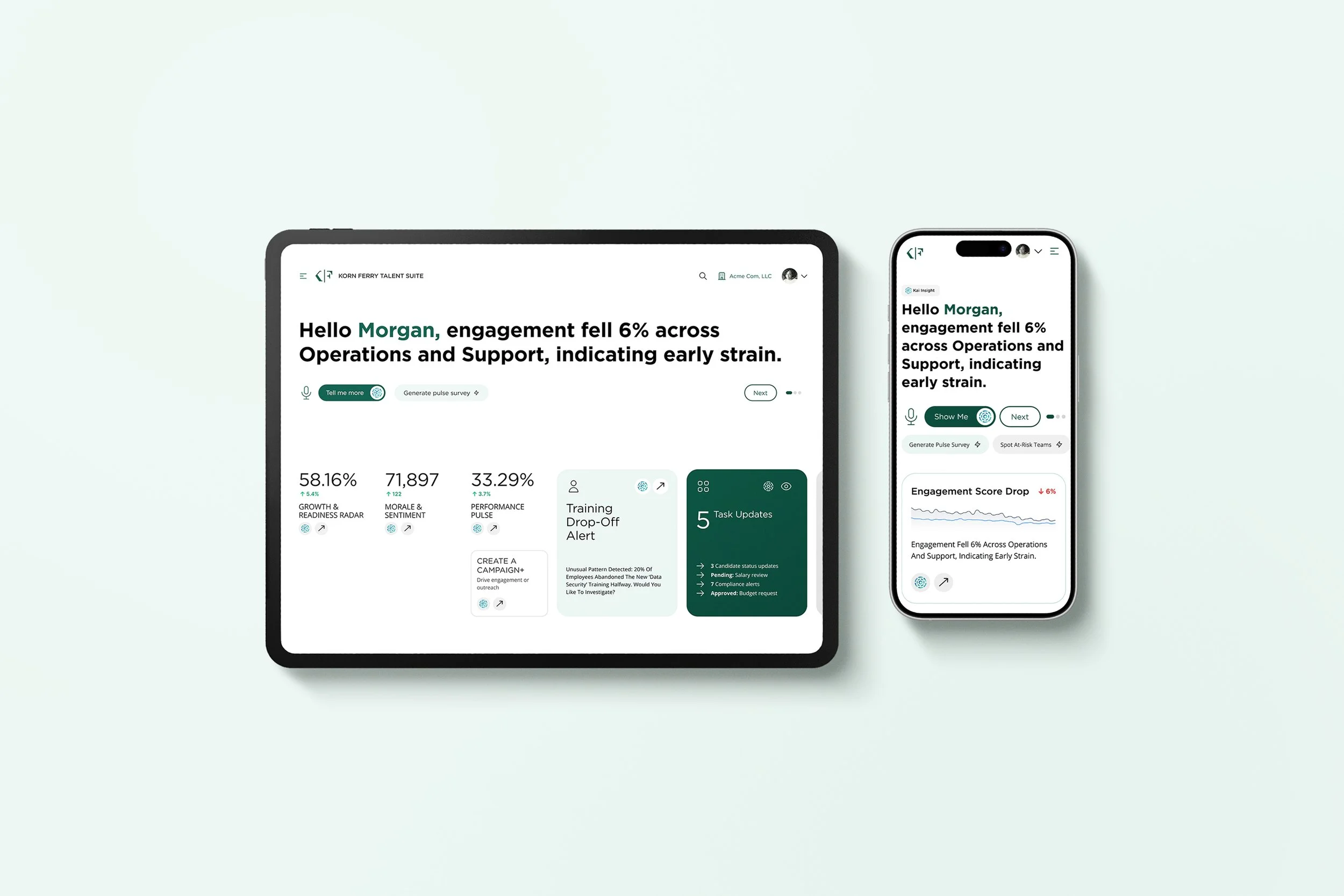
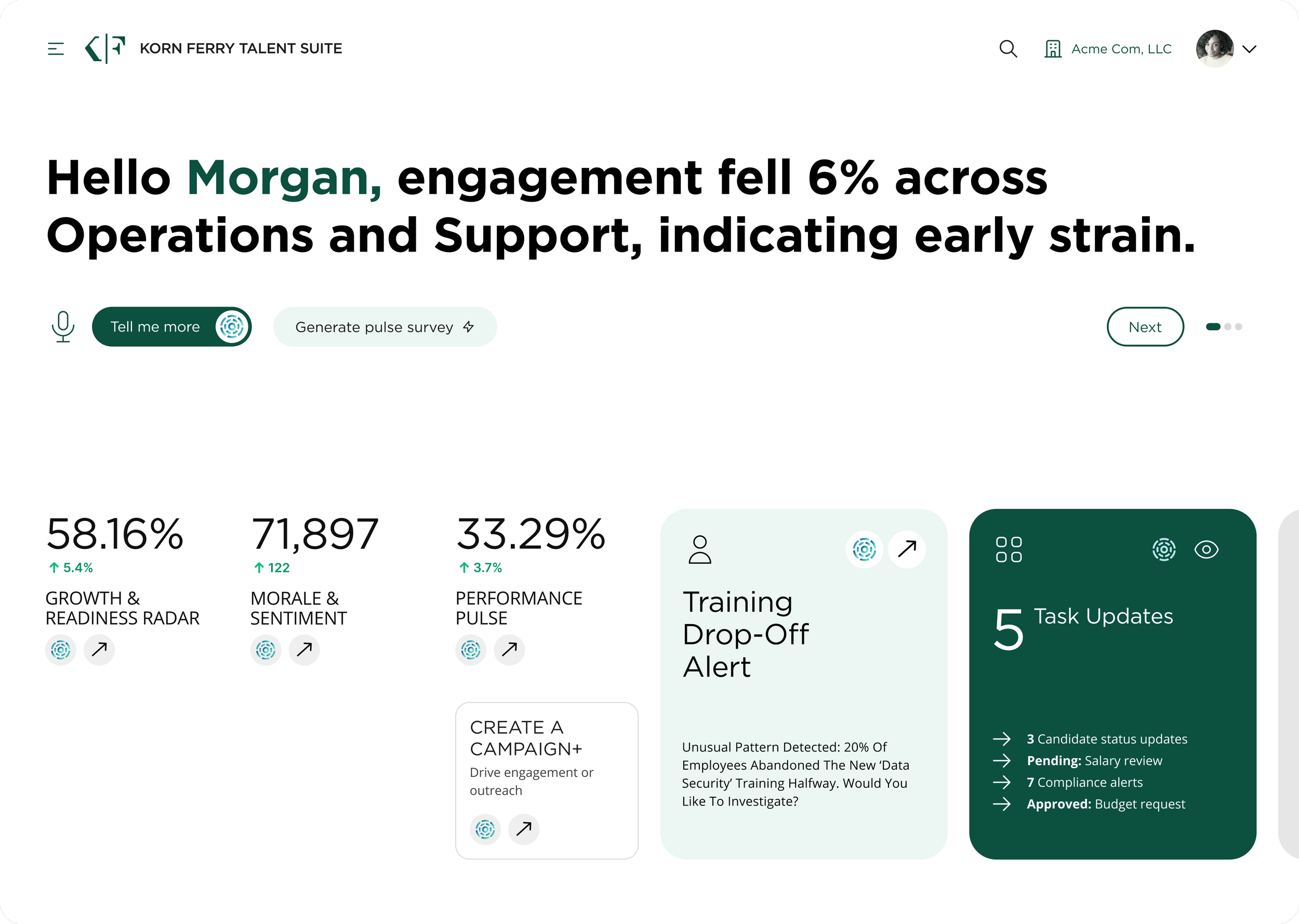
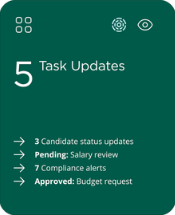
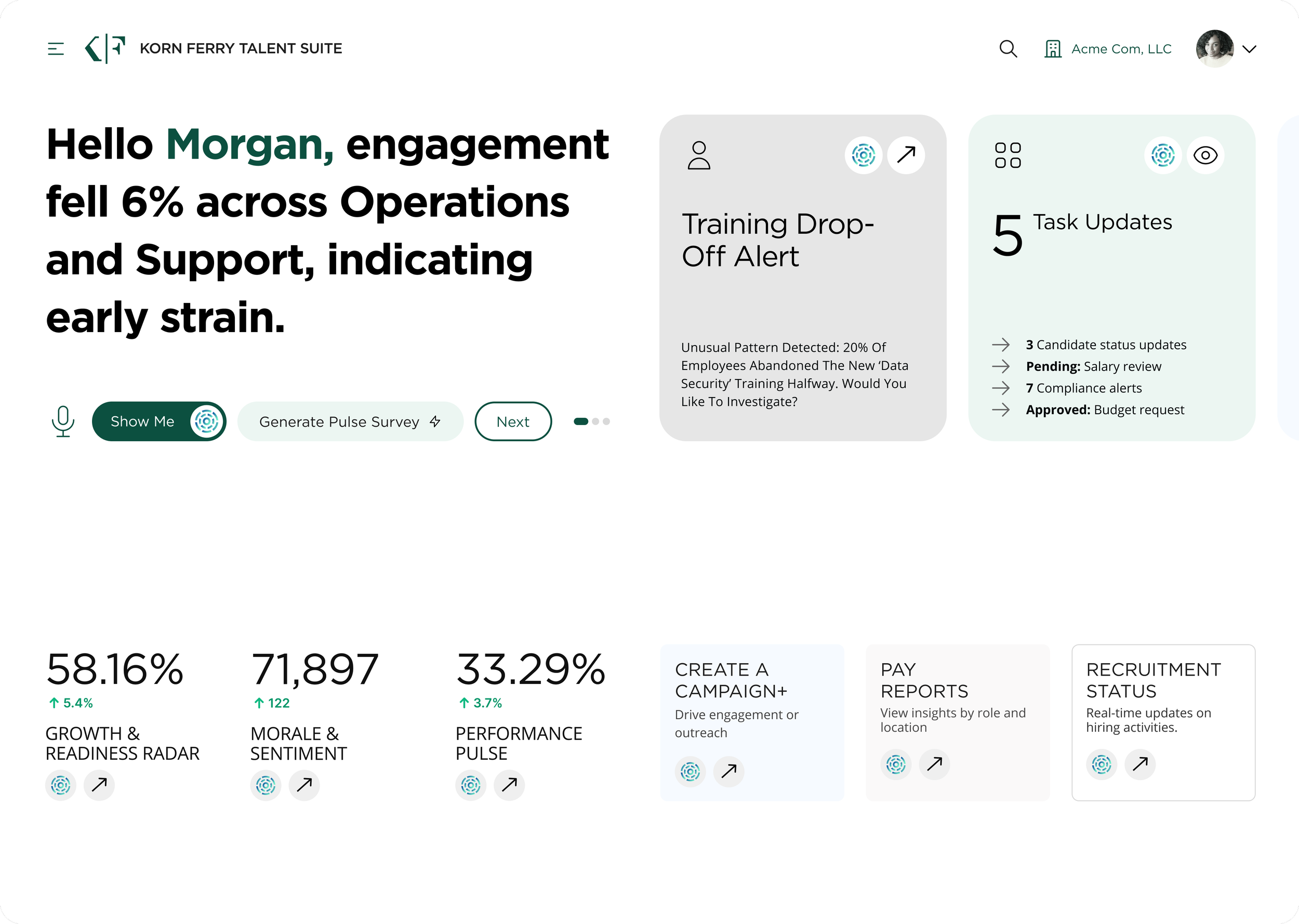
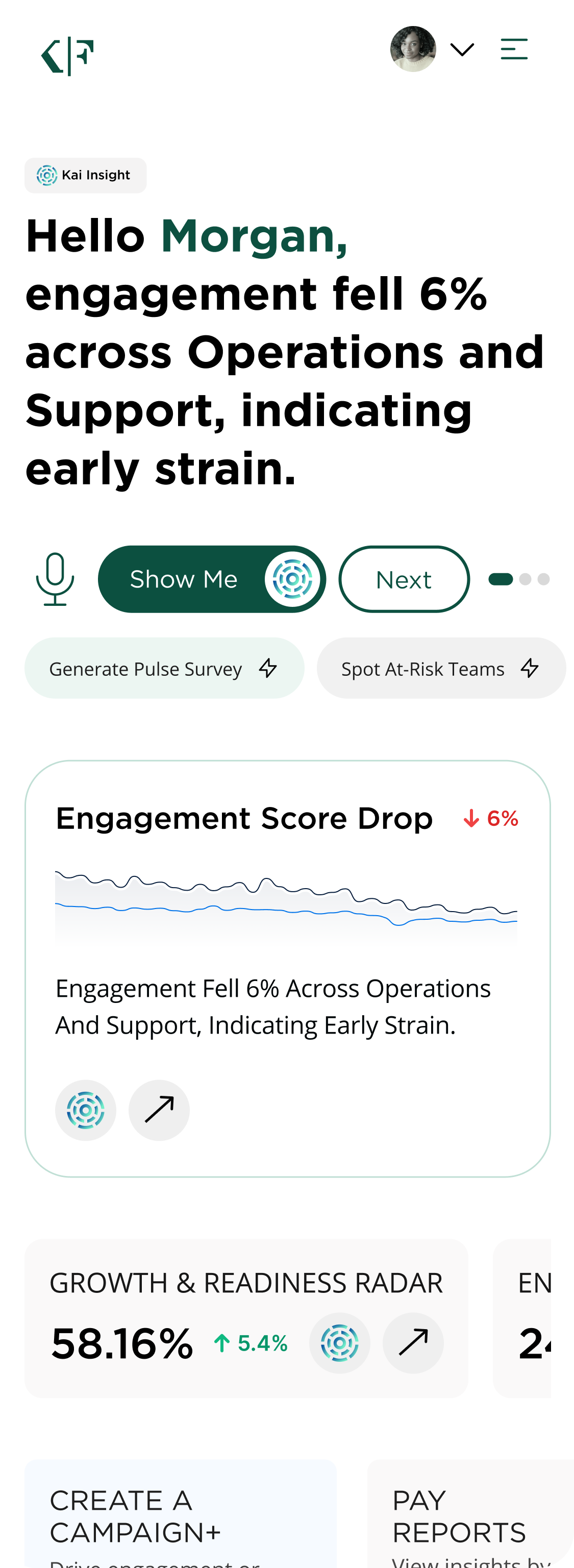
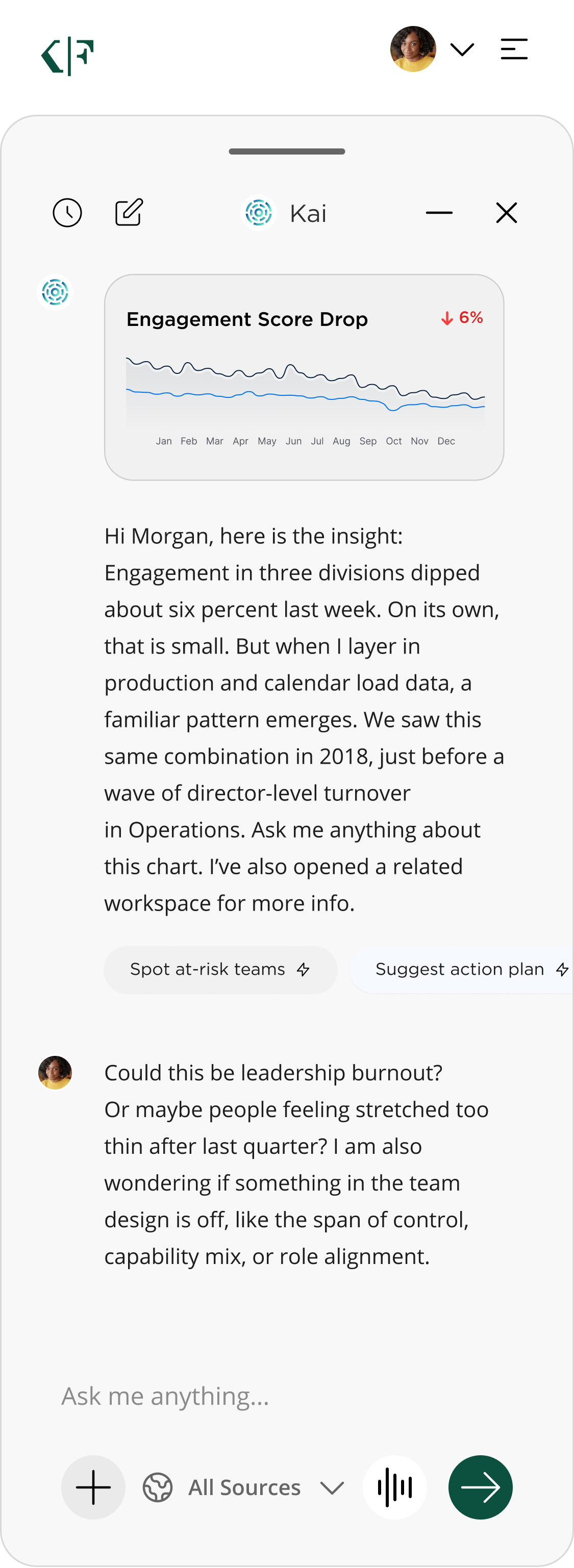
Mid-to-hi fidelity future-state mockups exploring how AI assistance can transform complex analytics into clear, conversational understanding — summarizing dashboards, detecting early warning signals, answering questions in natural language, and guiding users directly to the data or workspace they need. Instead of navigating reports and charts, users receive timely explanations, patterns, risks, and recommendations surfaced automatically in their flow of work.
KFTS AI - Home Landing V1 - Desktop
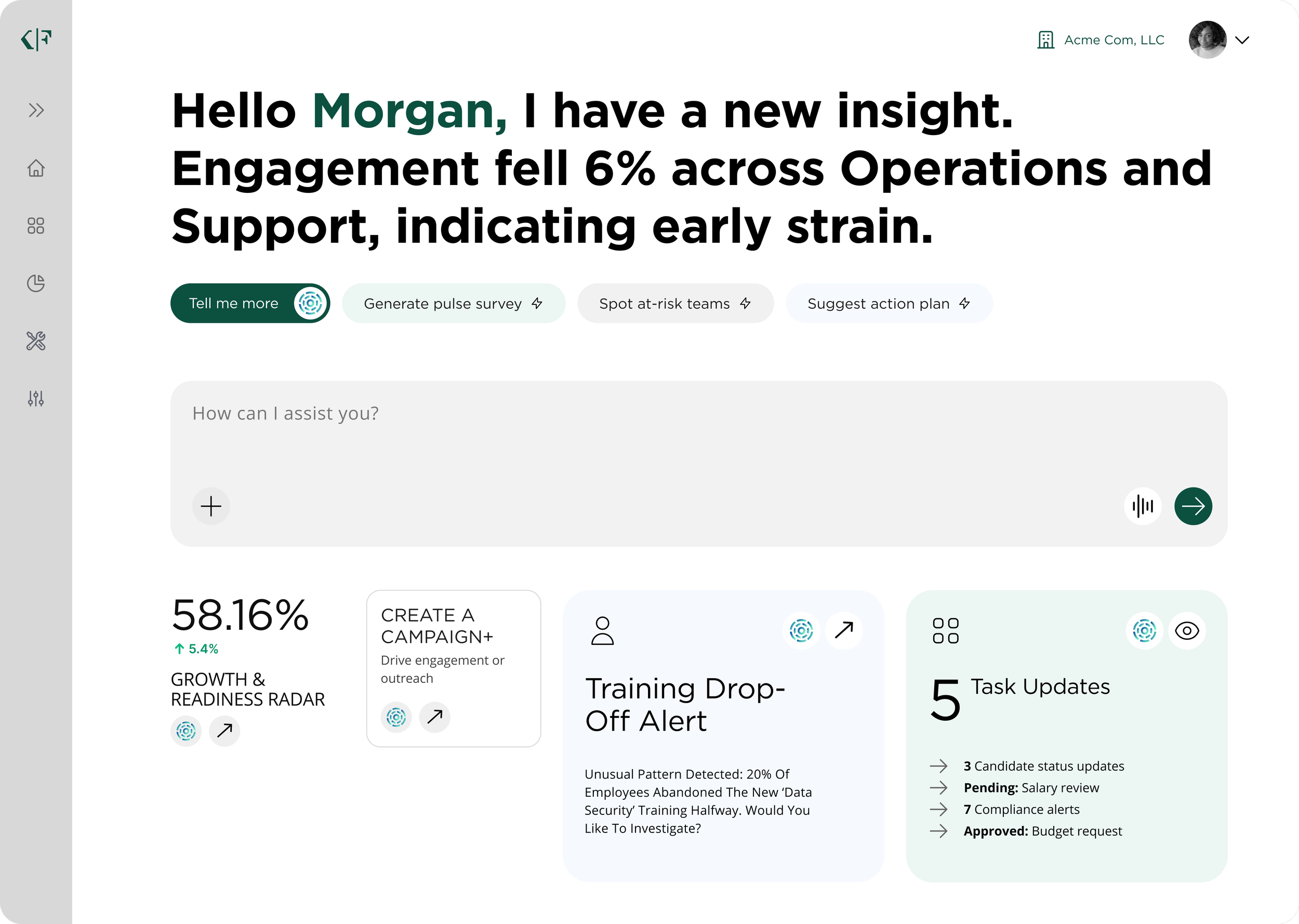
KFTS AI - Home Landing V2 - Desktop
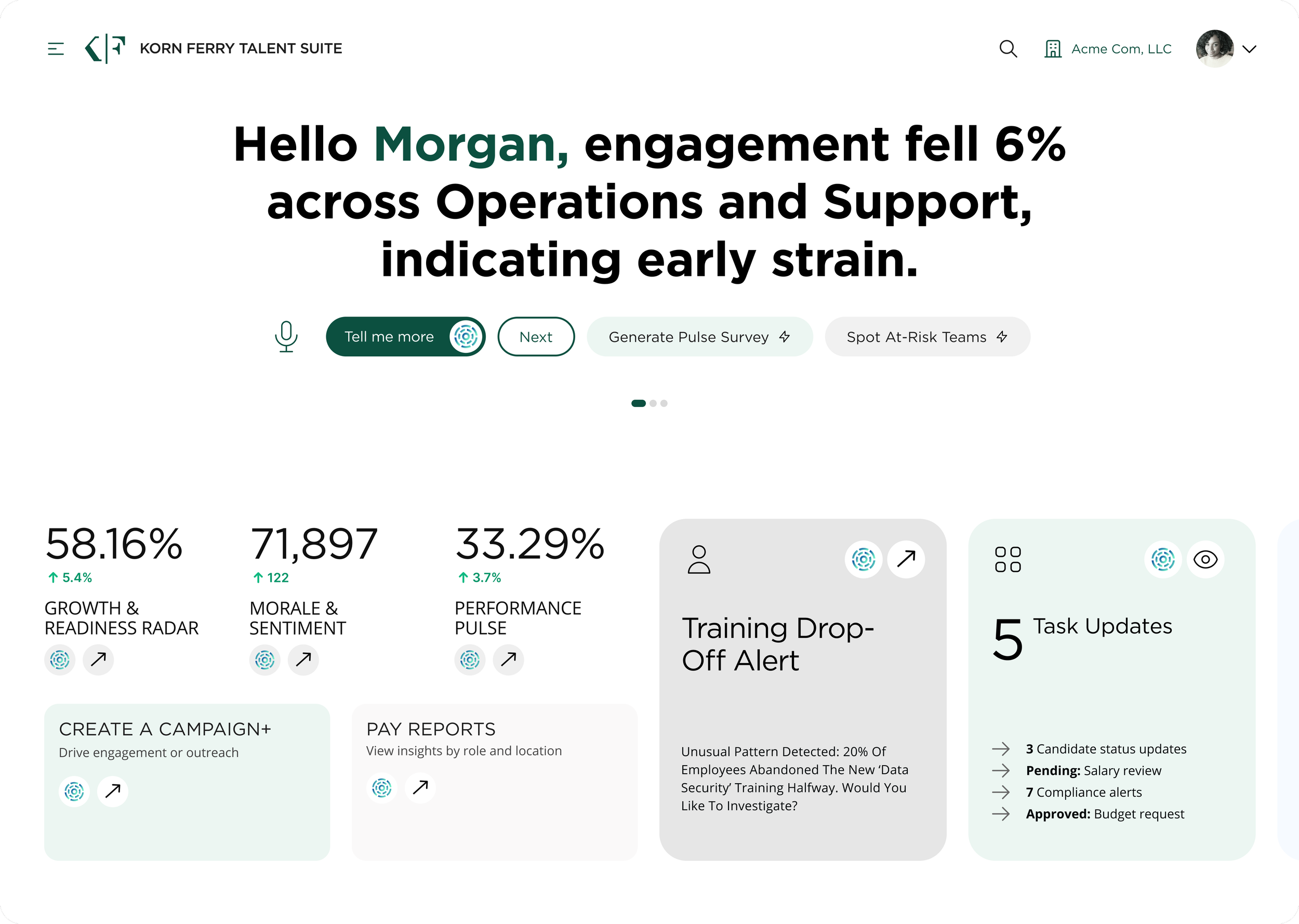
KFTS AI - Home Landing V3 - Desktop
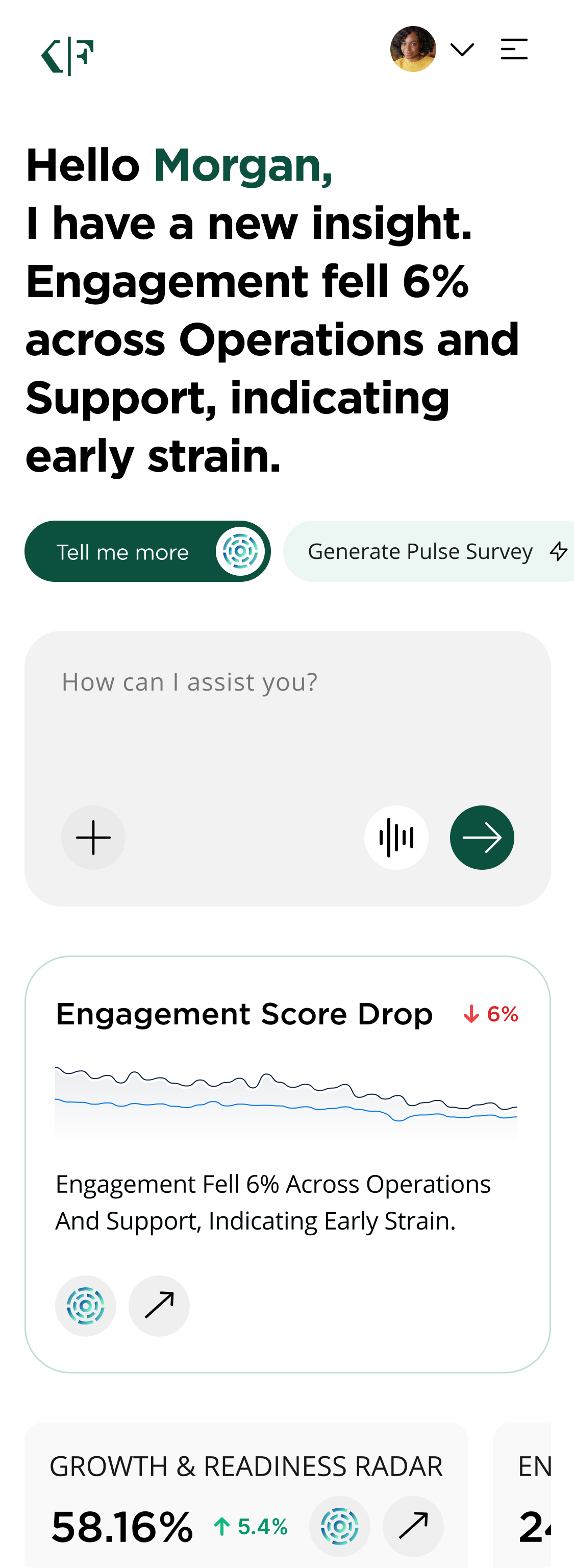
Mobile
KFTS AI Assistance Feature B
AI Enhanced Global & Contextual Search Home Page
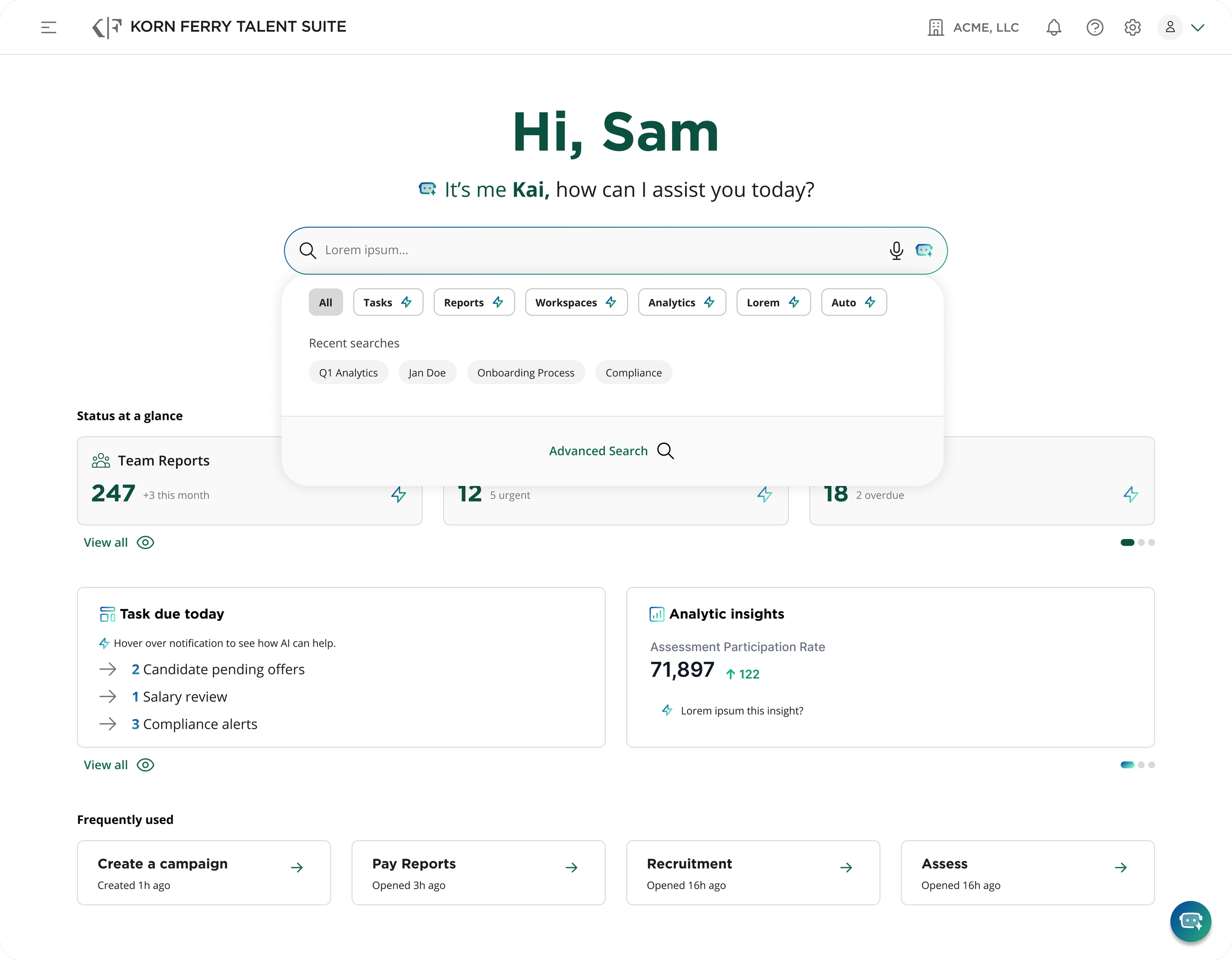
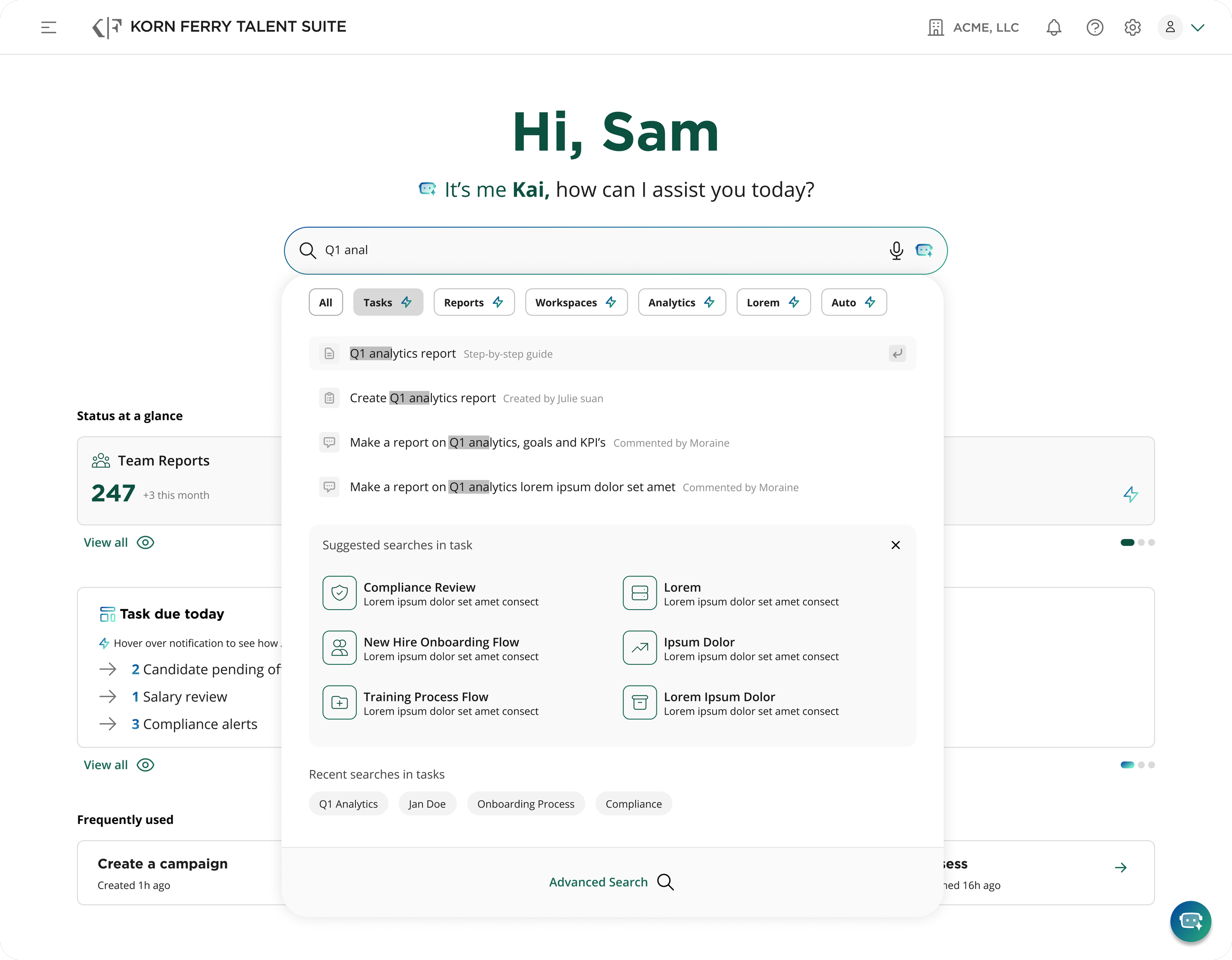
An advanced global search experience that blends traditional search functionality with intelligent, AI-powered guidance. Users can search across all areas of the platform—tasks, reports, workspaces, analytics, automations, and more—through a unified query bar that adapts as they type. Contextual filters, chips, and category suggestions allow users to refine their search immediately, making discovery faster and more intuitive. Recent searches are surfaced prominently, enabling users to pick up where they left off.
KFTS AI - Enhanced Search Home Landing - Desktop
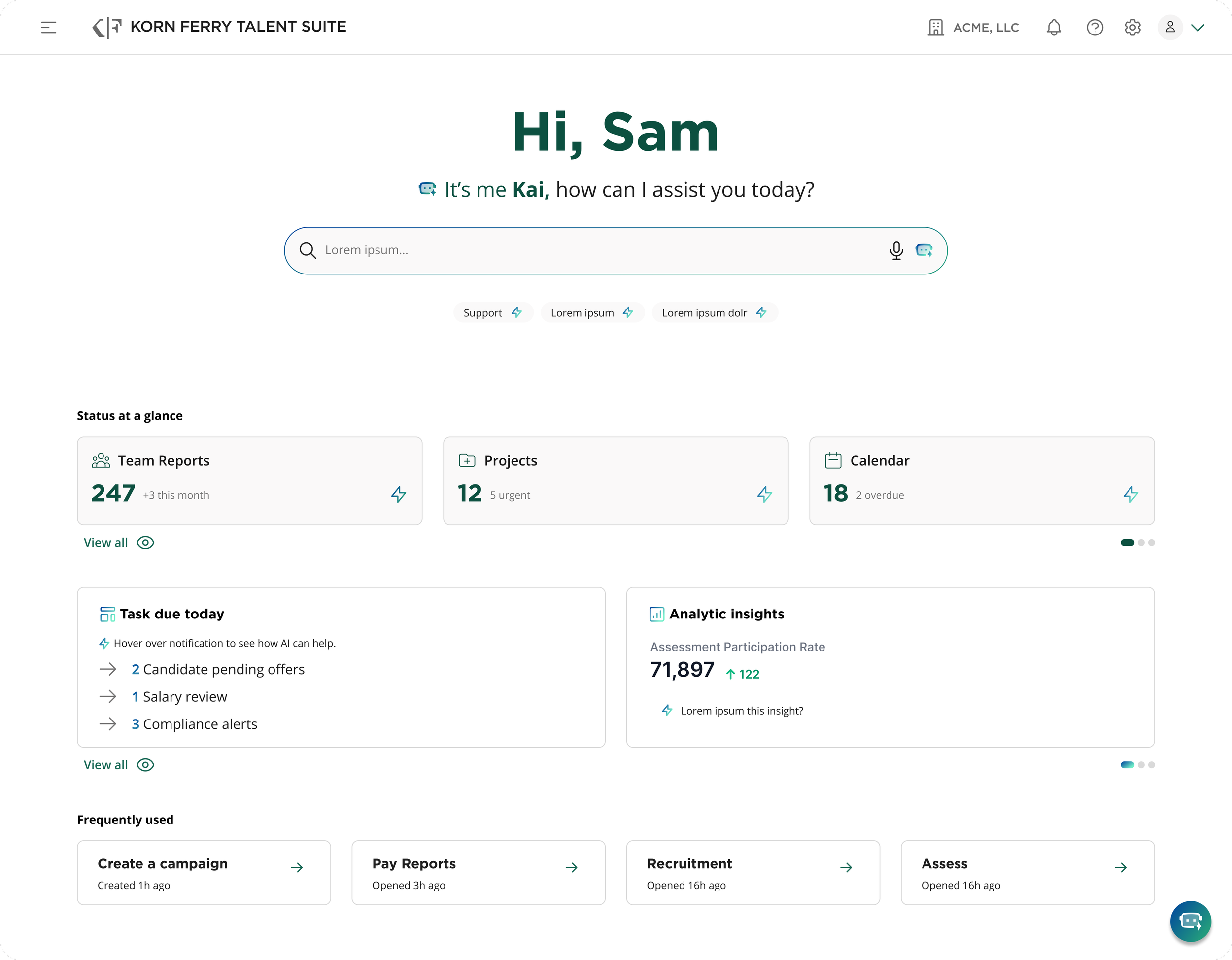
KFTS AI - Enhanced Search Home Active - Desktop
KFTS AI - Enhanced Search Home Active Tasks Filter - Desktop

KFTS AI - Enhanced Search Home Active Tasks & Typeahead - Desktop
Product/Feature 02
Current-state KFTS Platform Improvements

Project Overview
UX/UI improvements across the Korn Ferry Talent Suite focused on clarifying complex, role-based workflows while maintaining enterprise-scale flexibility. Enhancements included refining onboarding flows, improving role-based access control (RBAC) experiences, and increasing visibility and usability around data synchronization and system states. Additional UI updates emphasized clearer hierarchy, more consistent patterns across modules, and improved usability within data-dense interfaces, resulting in a more cohesive, predictable, and scalable platform experience.
Product/Feature A
Current-state Onboarding, Data Sync & Import
Clients onboarding to the Korn Ferry Talent Suite (KFTS) platform must connect their HR or payroll data in order to enable core talent management features. This integration can be done in one of two ways: either automatically through an API connection with supported Human Capital Management (HCM) platforms like Workday, or manually by uploading data using a standardized Excel (.xls) template.
There are two entry points to begin the data sync process, users can start from either the KFTS Home dashboard or the Digital Hub landing page hosted on SharePoint. These two entry points provide flexibility depending on the user's navigation preferences within the platform.
Pain-points with the current-state onboarding & data sync flow identified through design audits and user feedback, several critical UX and UI challenges were identified in the existing flow:
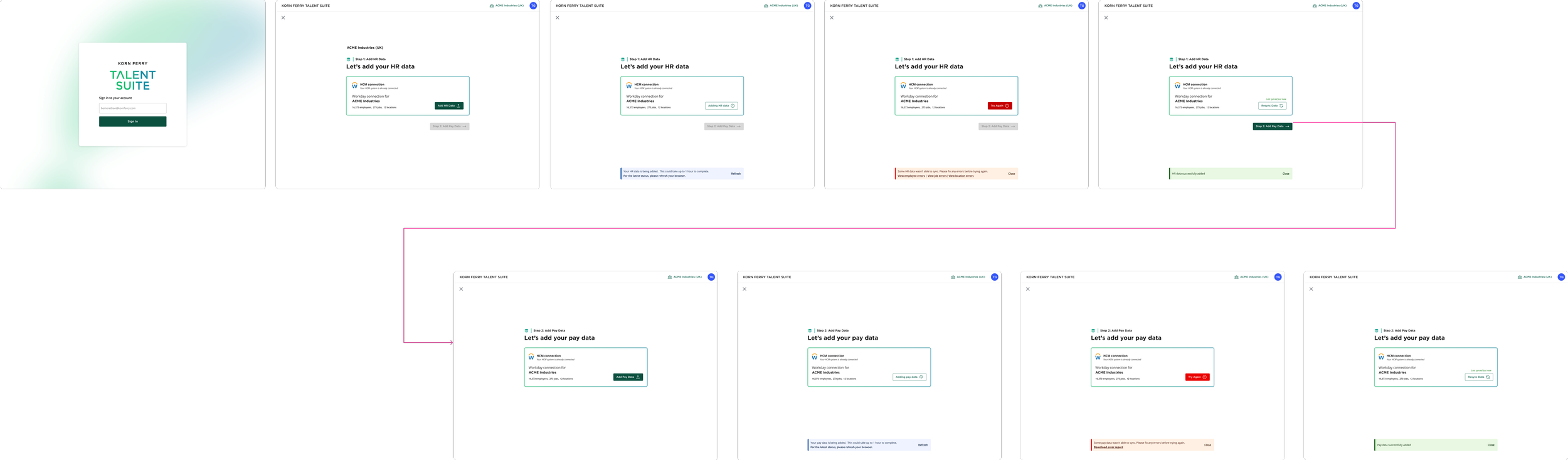
Visual Clutter & Redundancy
Multiple screens repeated the same content, components, and instructions, causing friction and visual fatigue.
Unclear Hierarchy
UI lacked proper visual hierarchy and spacing, making it difficult for users to focus on primary tasks or understand progress.
Poor Error Feedback
Redundant toast messages appeared on every screen, often repeating vague or unhelpful errors. These were unnecessary and avoidable with clearer content design.Missing Upload History / Audit Trail
Users had no visibility into previous uploads, sync attempts, or errors. This made it hard to track progress, troubleshoot issues, or confirm if the correct data was uploaded
No Upload Feedback / Loading States
Current implementation was solutioned as a “quick-fix” by Dev. There were no loading indicators or real-time sync status messages, leading users to believe the upload failed or stalled. Many users resorted to manually refreshing the page, which degraded trust in the system.
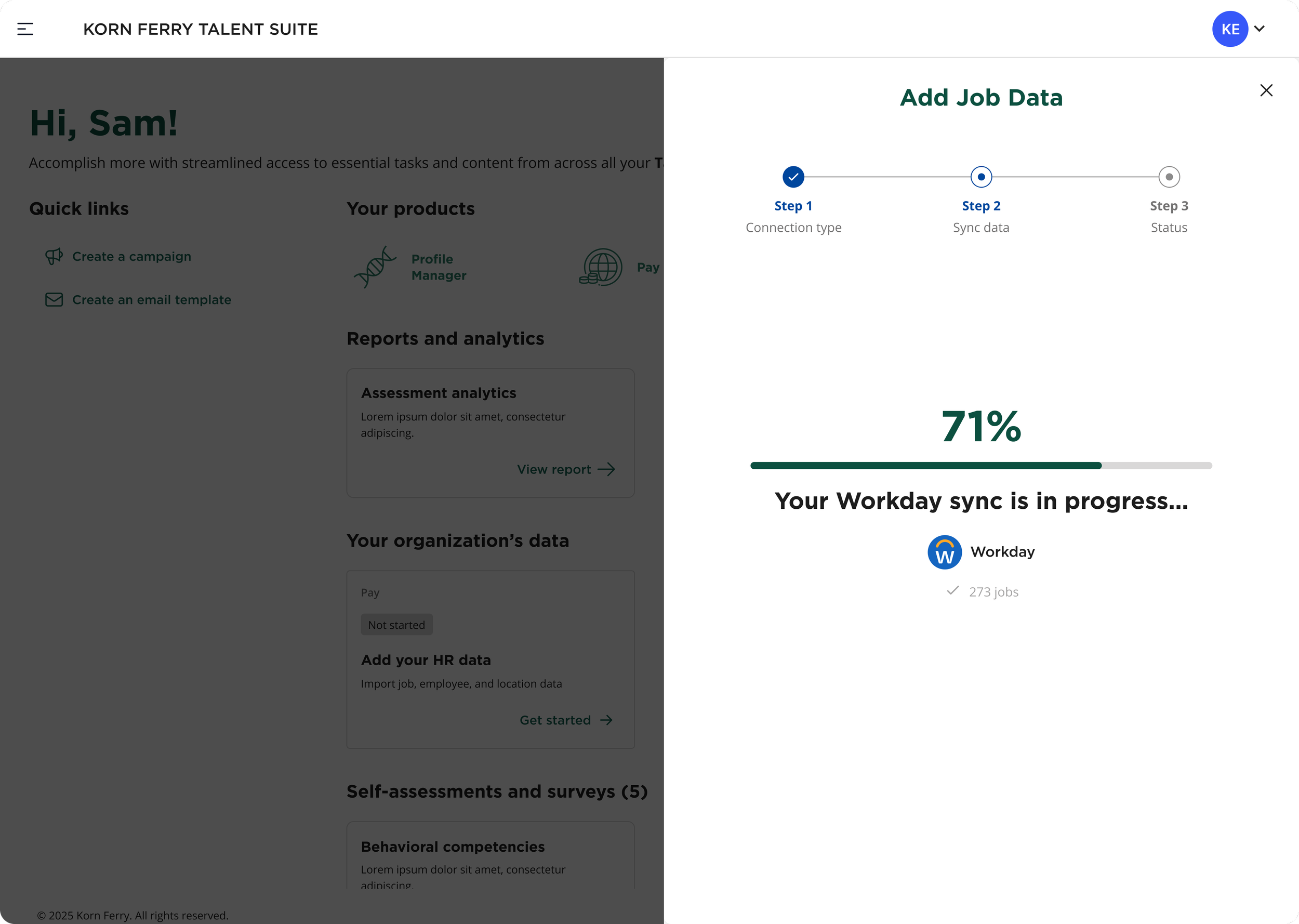
Users can connect their HR system (e.g., Workday) via a half-screen drawer modal that overlays the dashboard, maintaining visual context. A new progress screen shows real-time sync status, and users can exit anytime. Sync progress is also shown on the dashboard card, with clear error messaging for failed or partial syncs.
Product/Feature A1
Current-state Automatic HCM/API Connection Sync Feature

KFTS Home Dashboard Landing Page
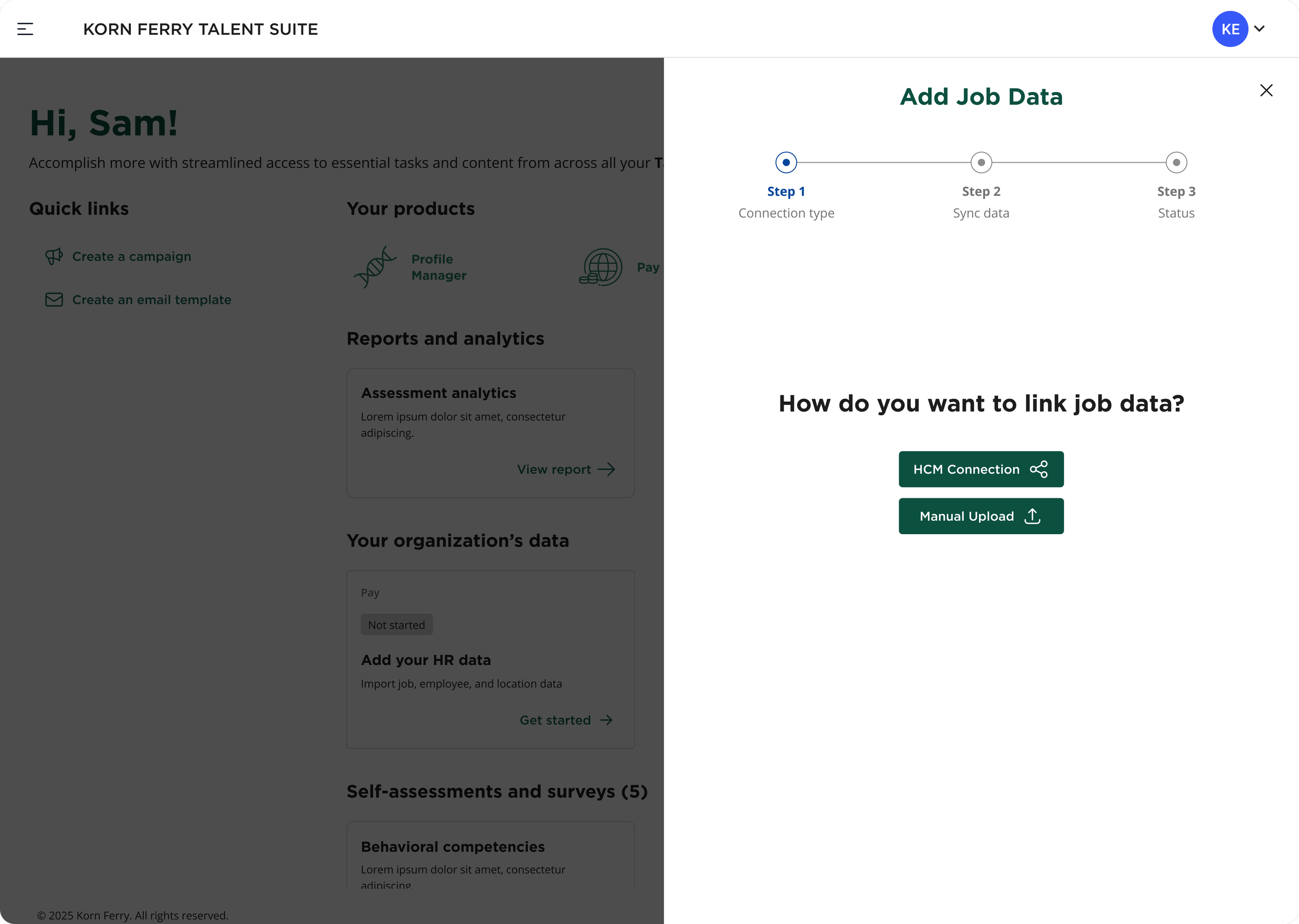
Slide-out Modal - Data Connection Type Selection
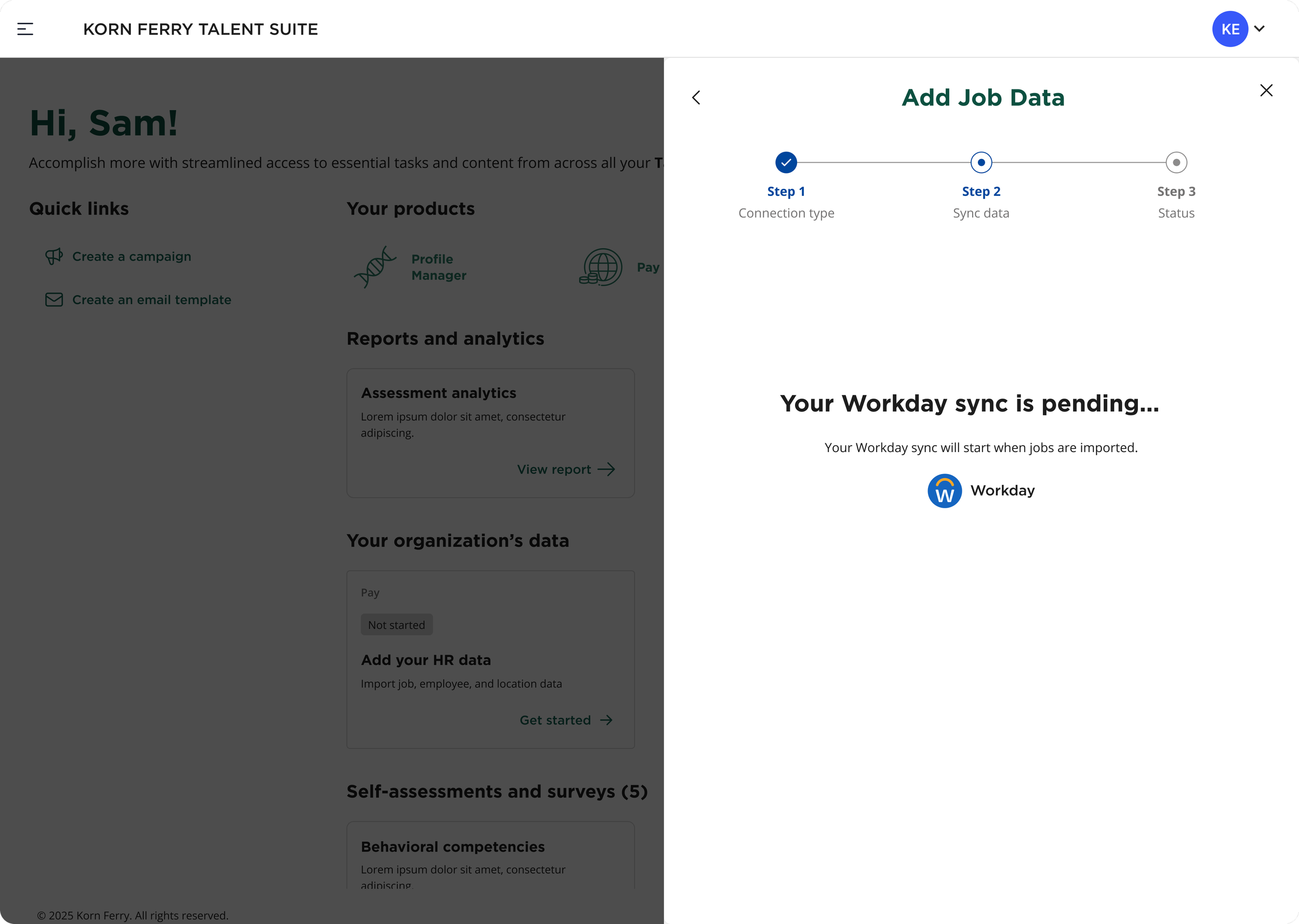
Slide-out Modal - HCM Sync pending
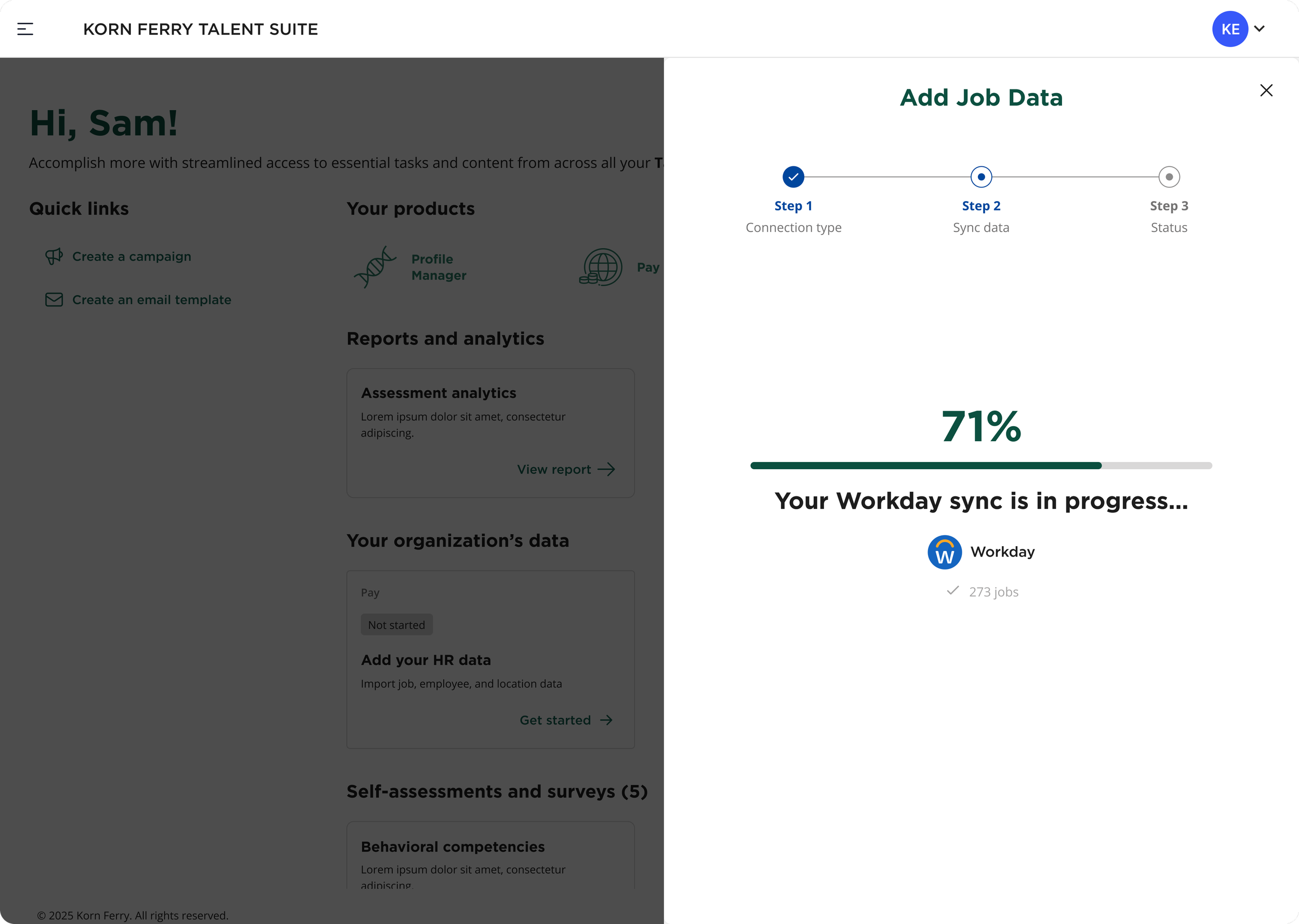
Slide-out Modal - HCM Sync Progrss/Loading
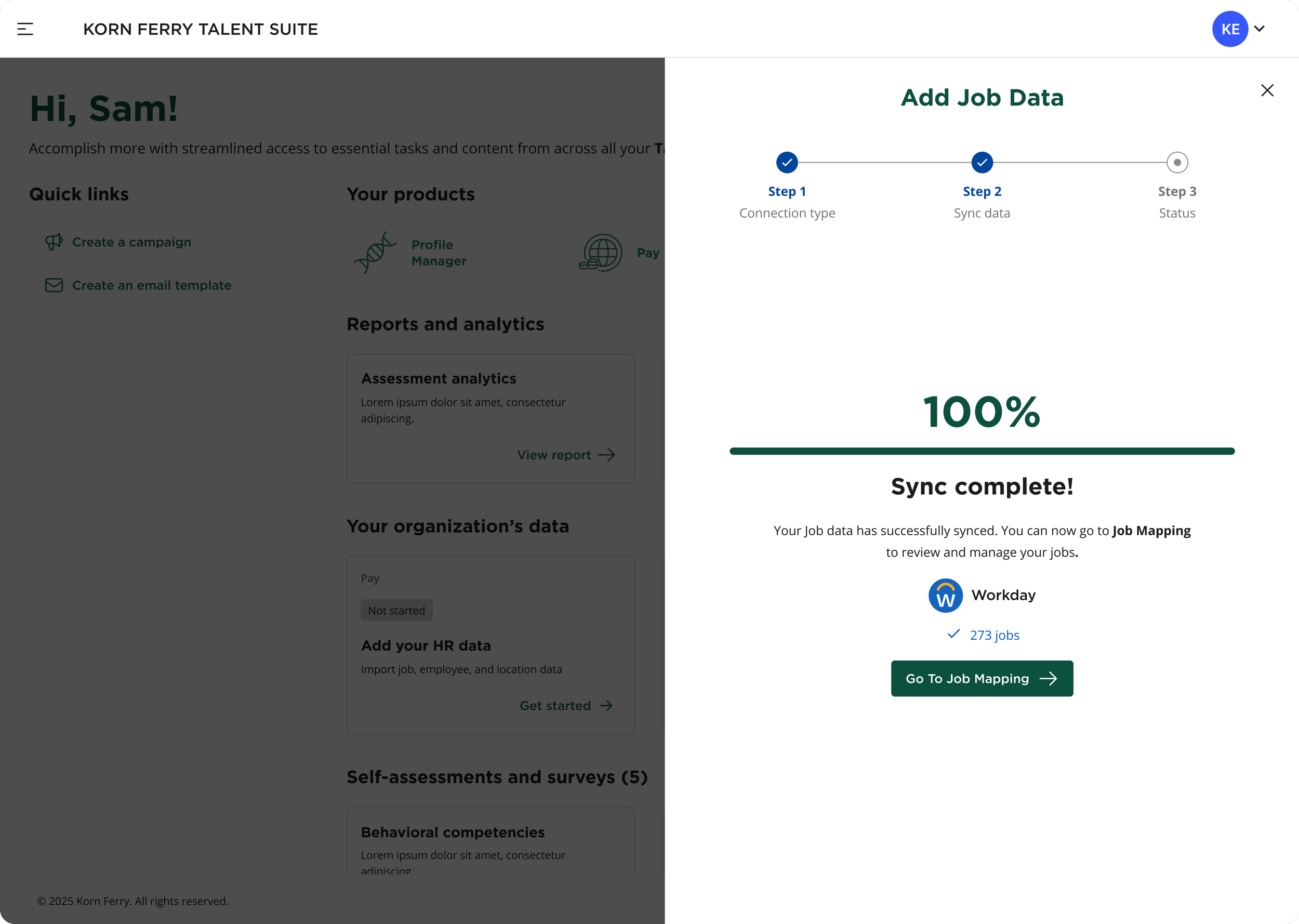
Slide-out Modal - HCM Sync Completion - Success Confirmation
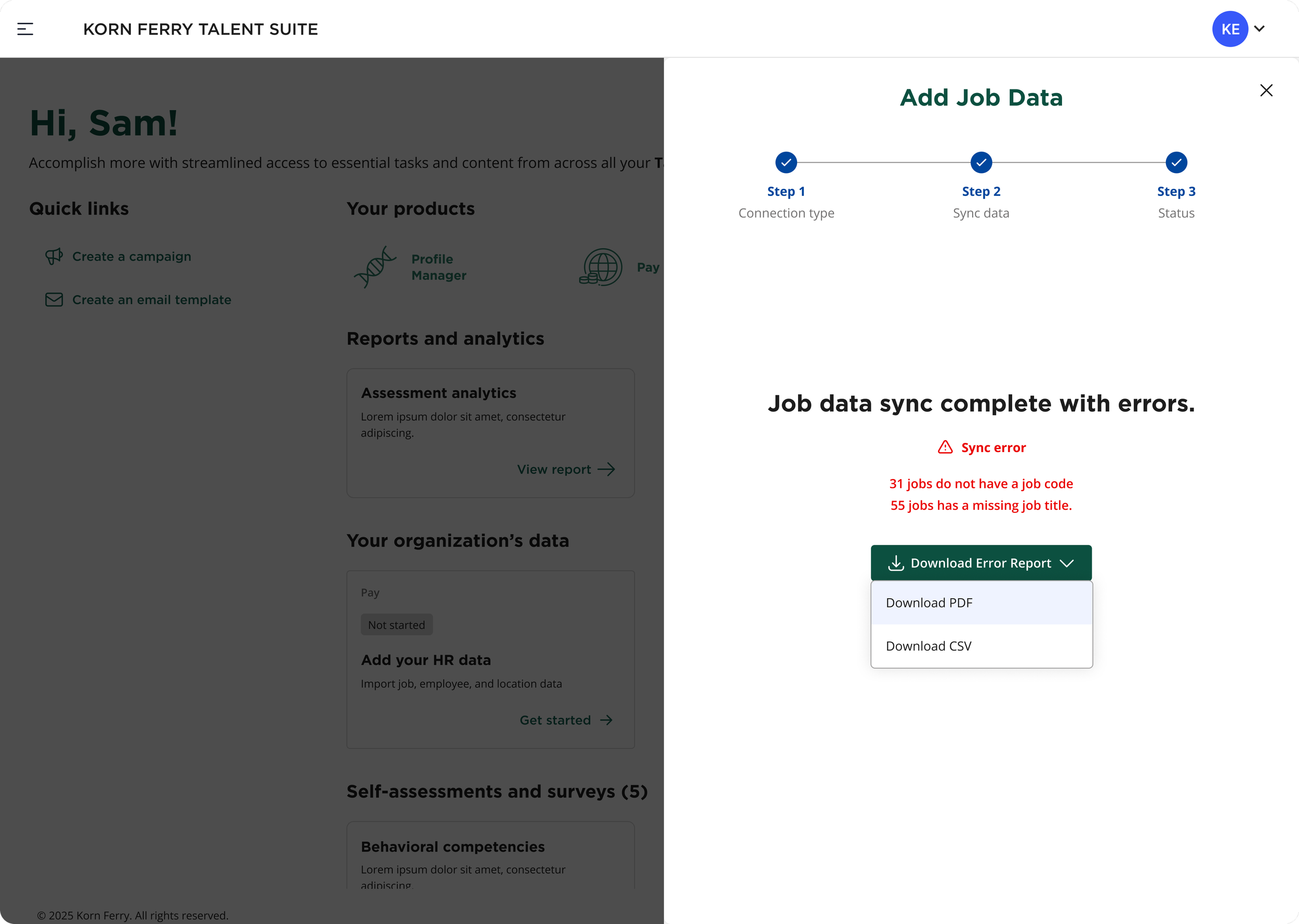
Slide-out Modal - HCM Sync Complete with Errors
Product/Feature A2
Current-state Manual Data File Upload Feature
Users can connect their HR system (e.g., Workday) via a half-screen drawer modal that overlays the dashboard, maintaining visual context. A new progress screen shows real-time sync status, and users can exit anytime. Sync progress is also shown on the dashboard card, with clear error messaging for failed or partial syncs.
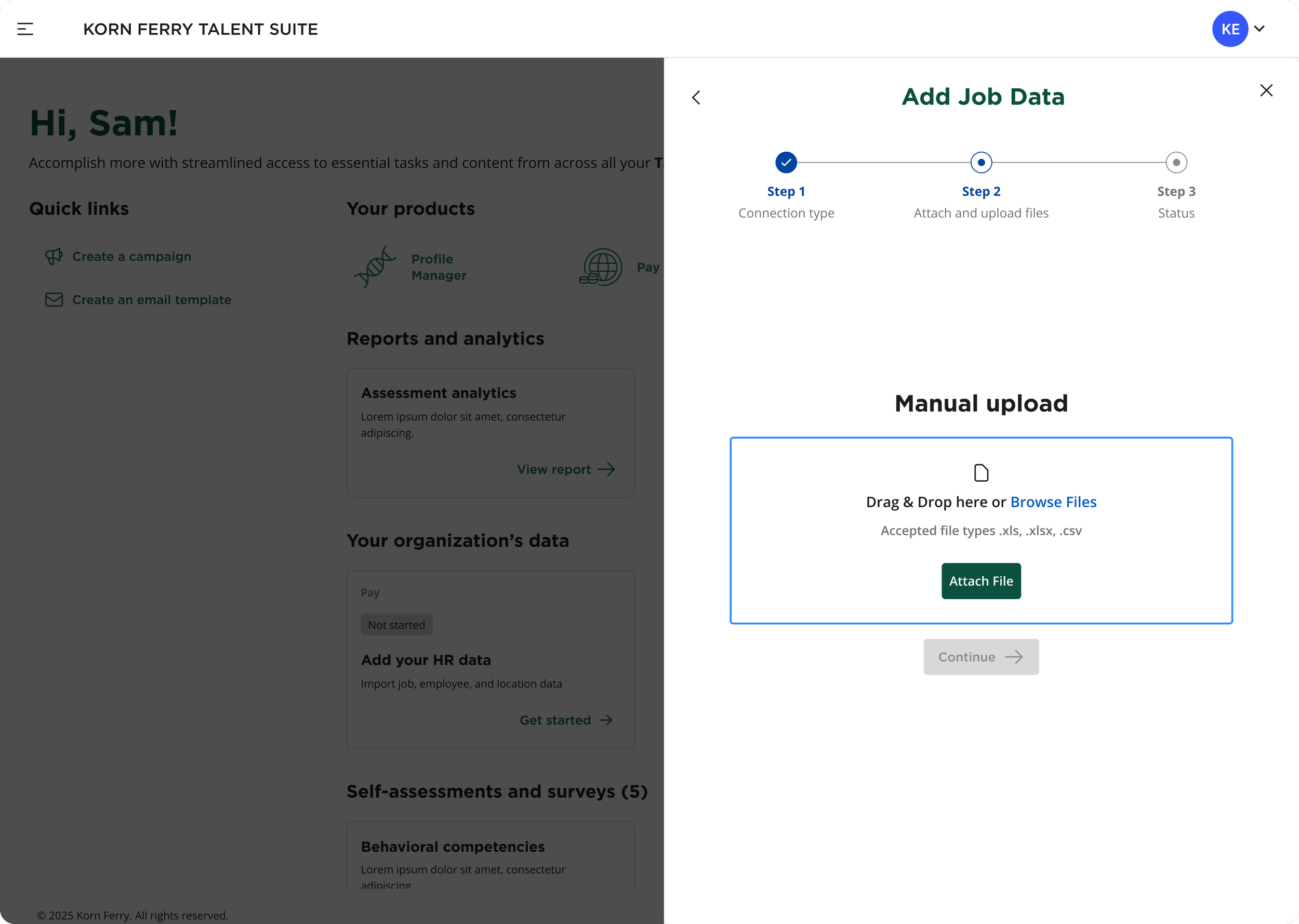
Slide-out Modal - Manual Upload Drag & Drop/Browse Files
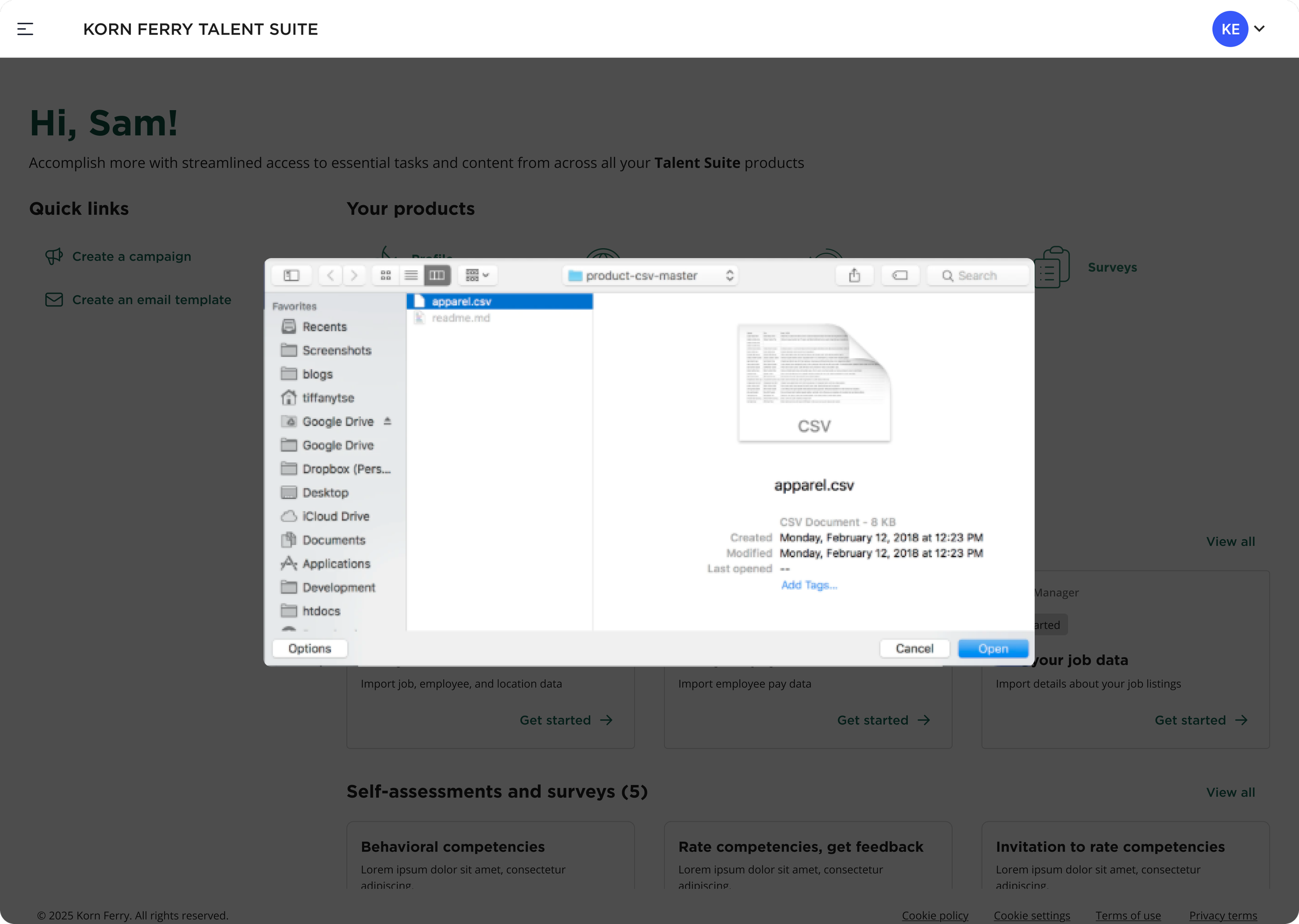
Modal - Manual Upload File Selection
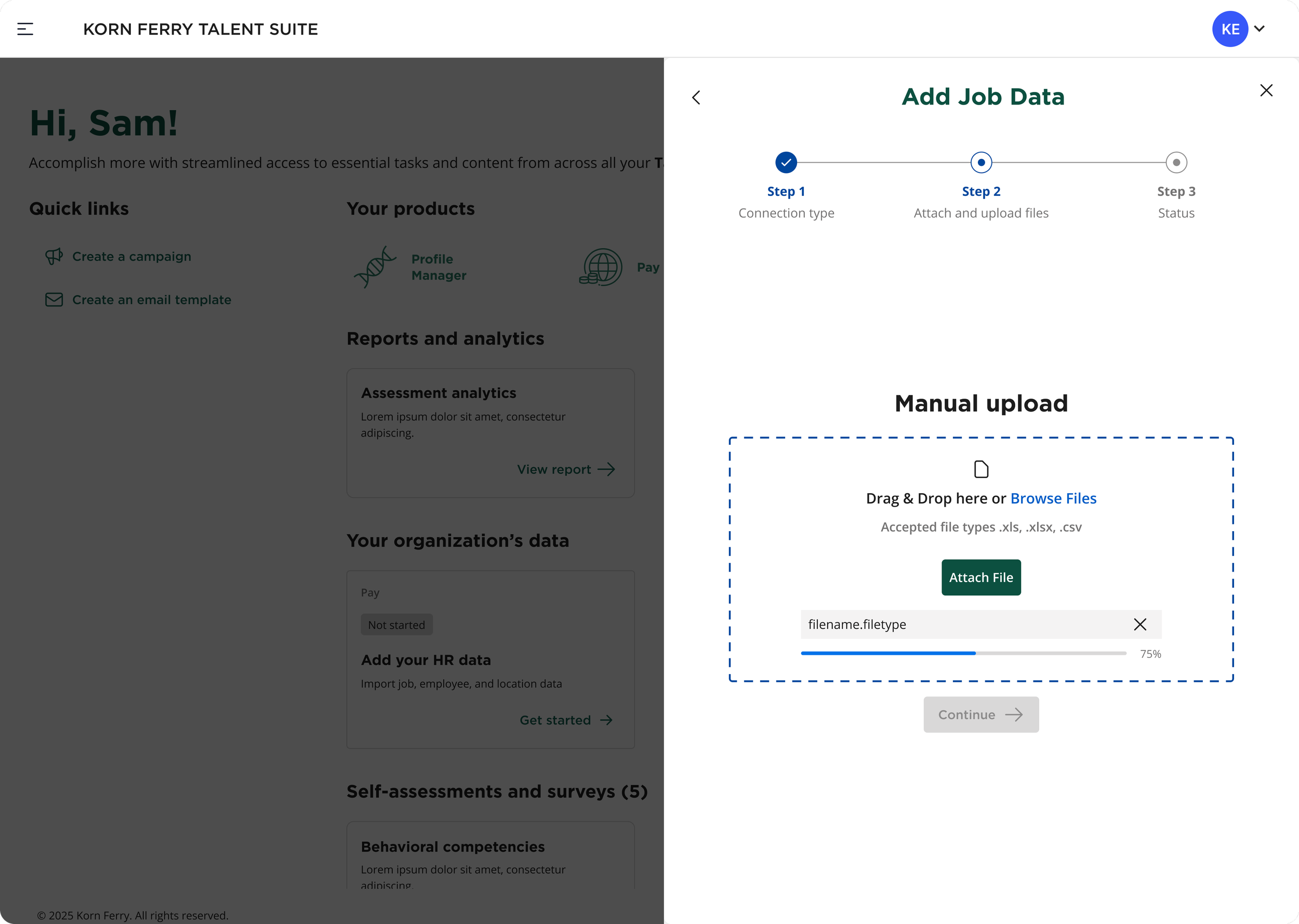
Slide-out Modal - File Upload Progress
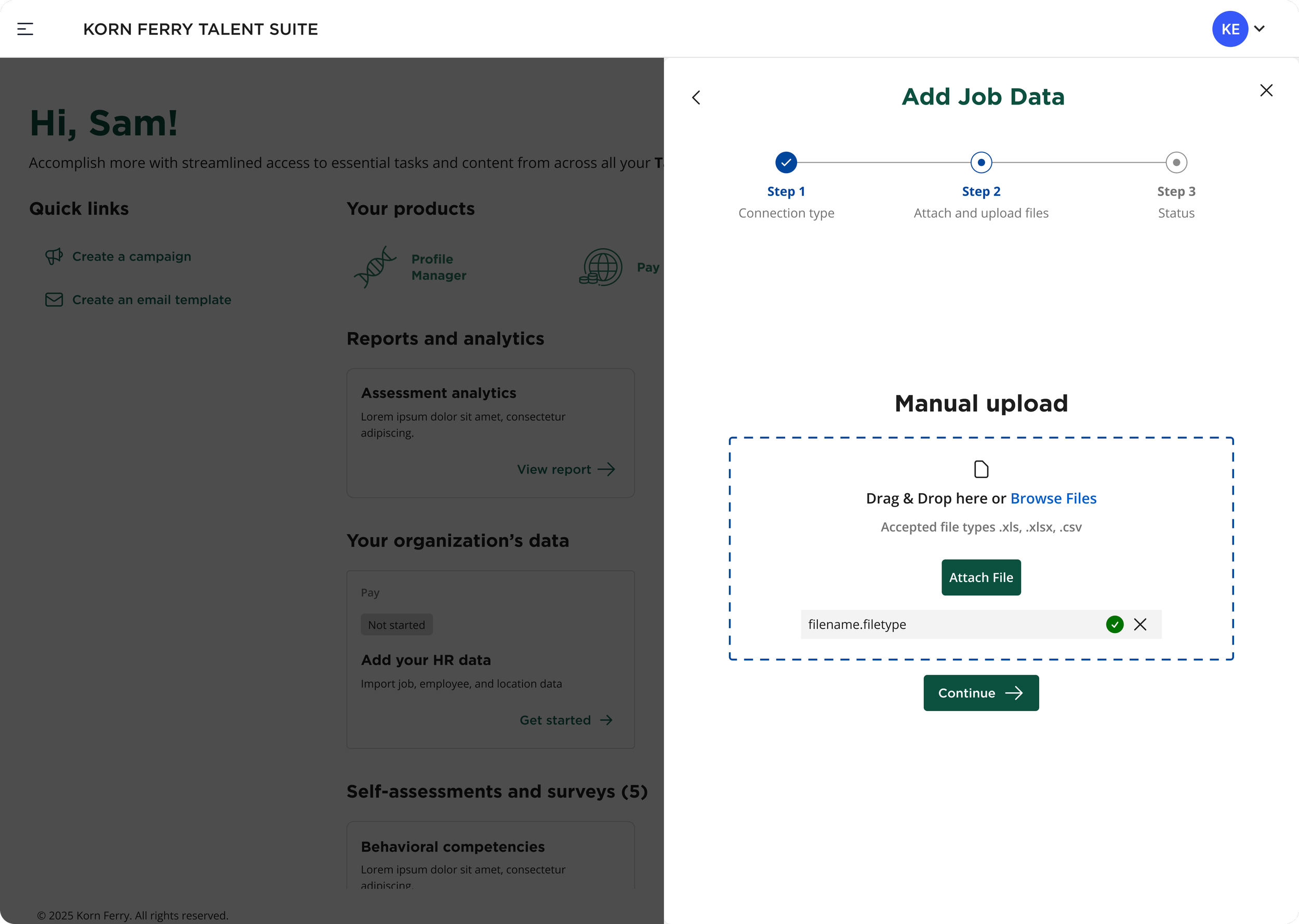
Slide-out Modal - File Upload Attached Successfully
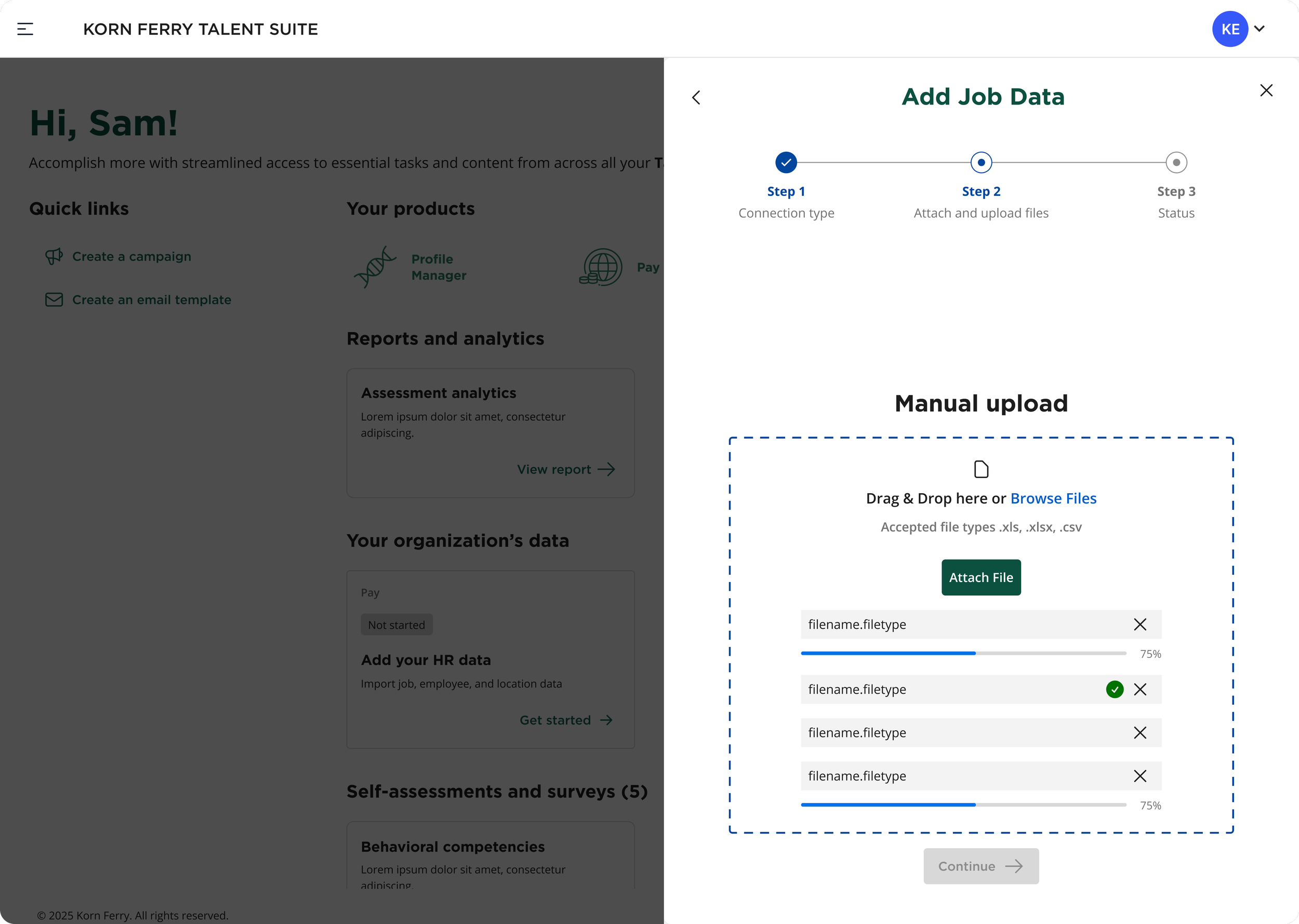
Slide-out Modal - Multiple File Upload Progress
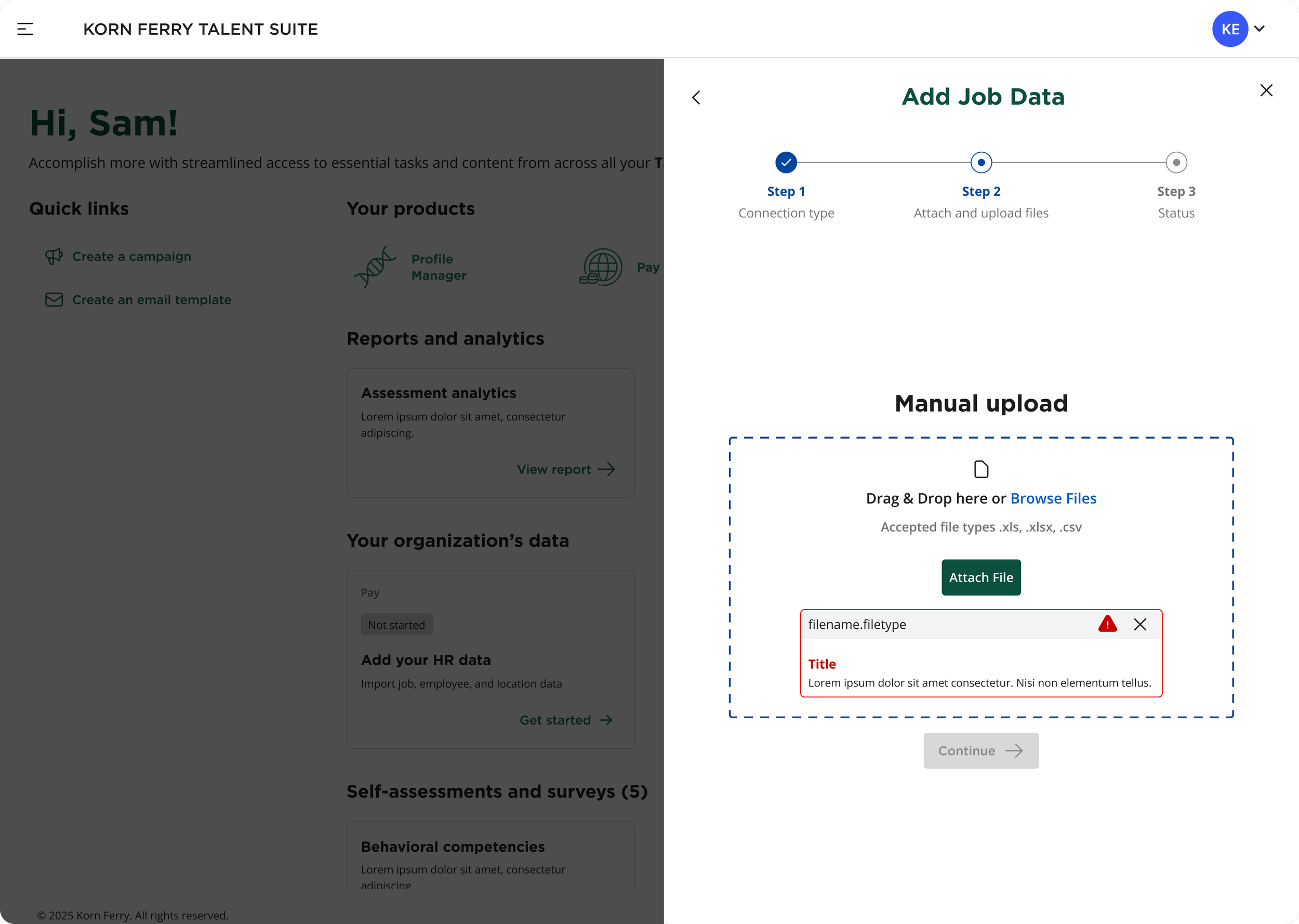
Slide-out Modal - File Format Error
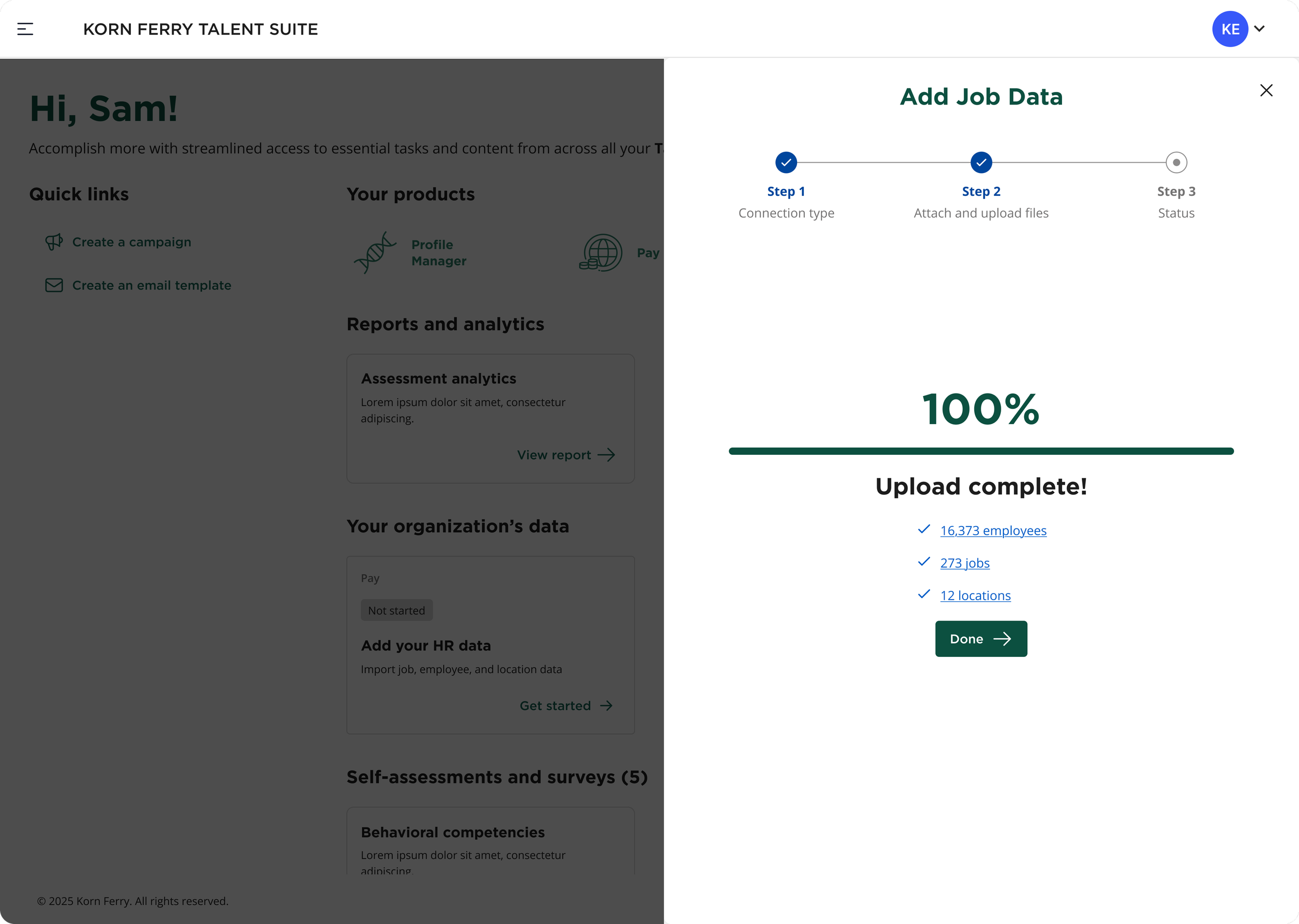
Slide-out Modal - File Upload Success Confirmation
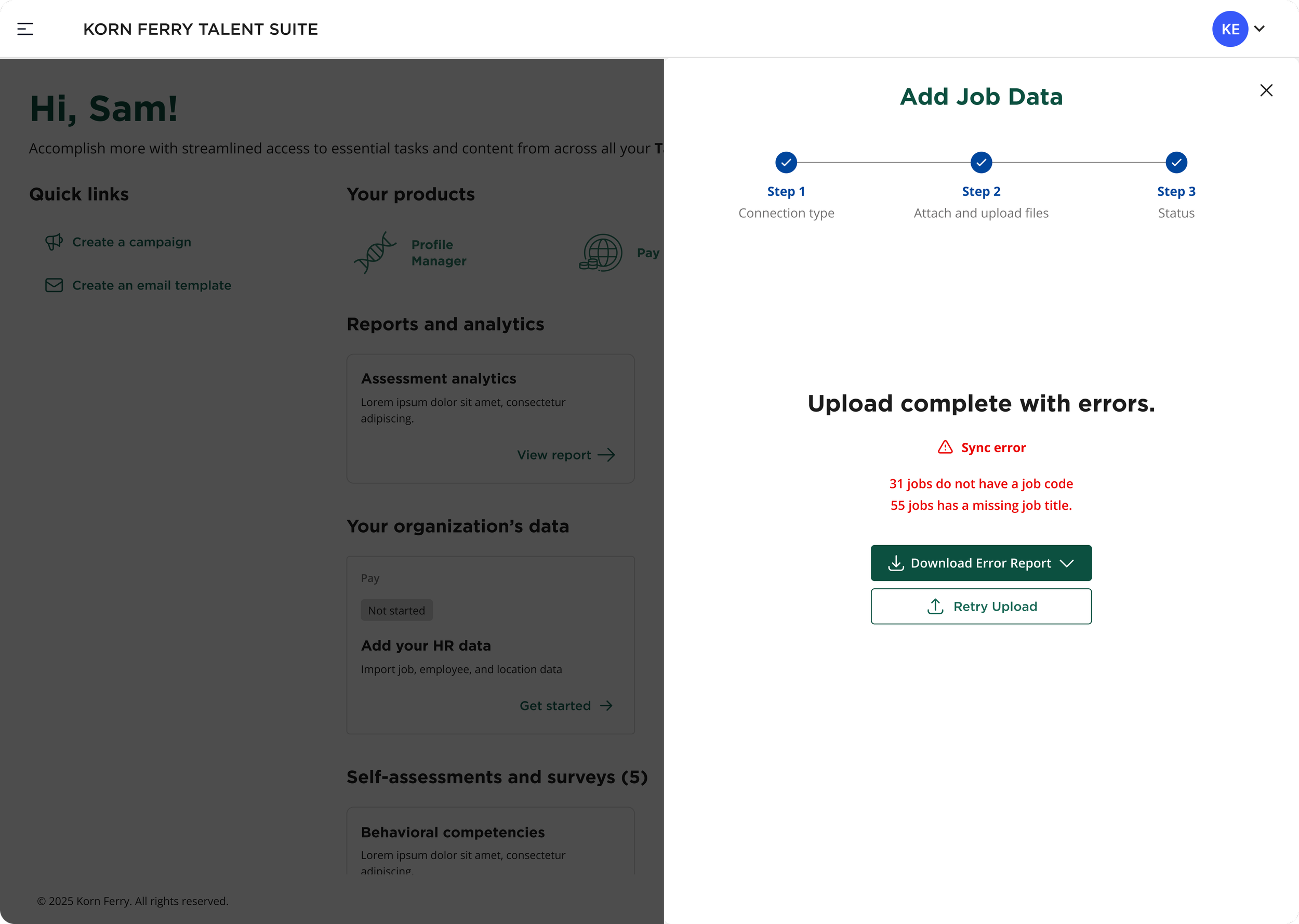
Slide-out Modal - File Upload Error with Report
Product/Feature A3
Current-state History (Data Syncs & Uploads) Feature
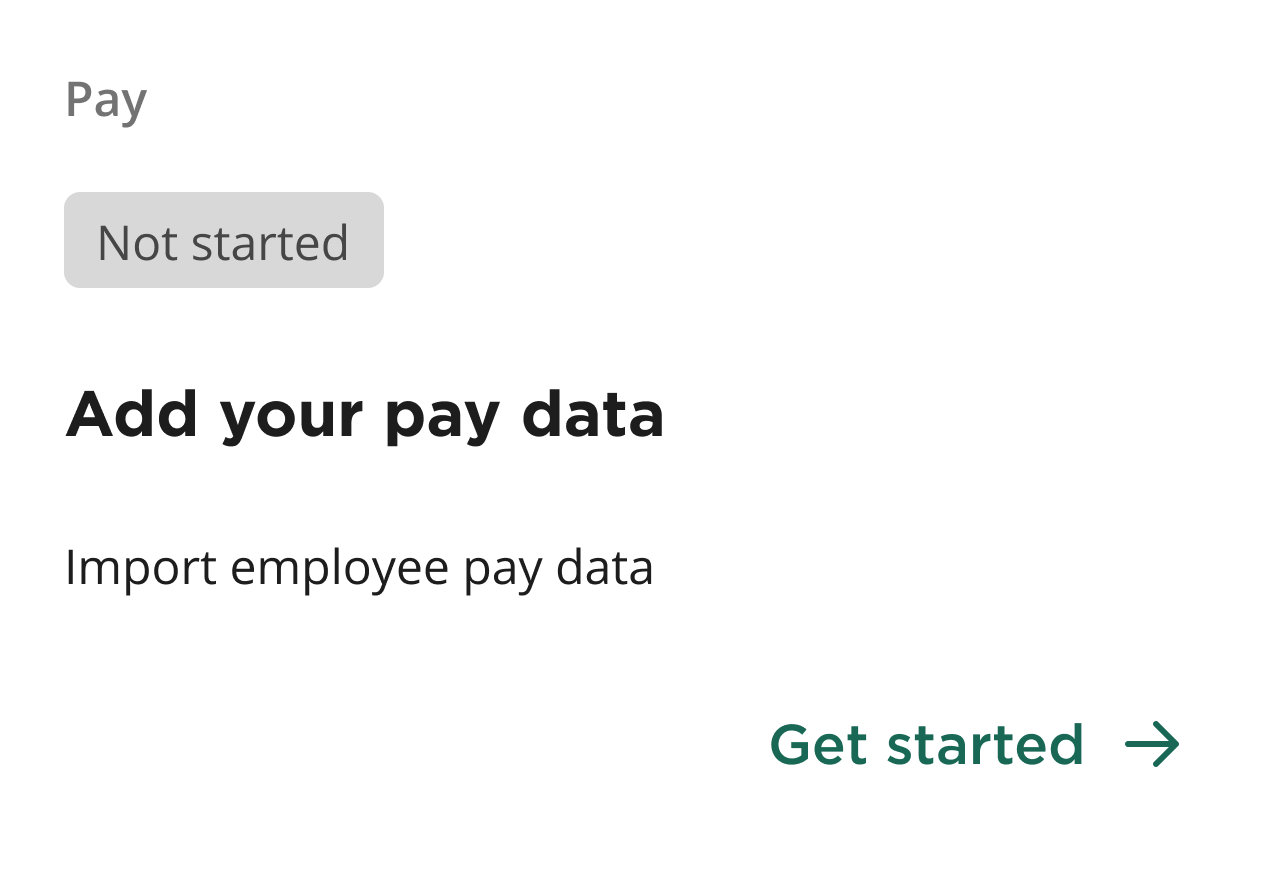
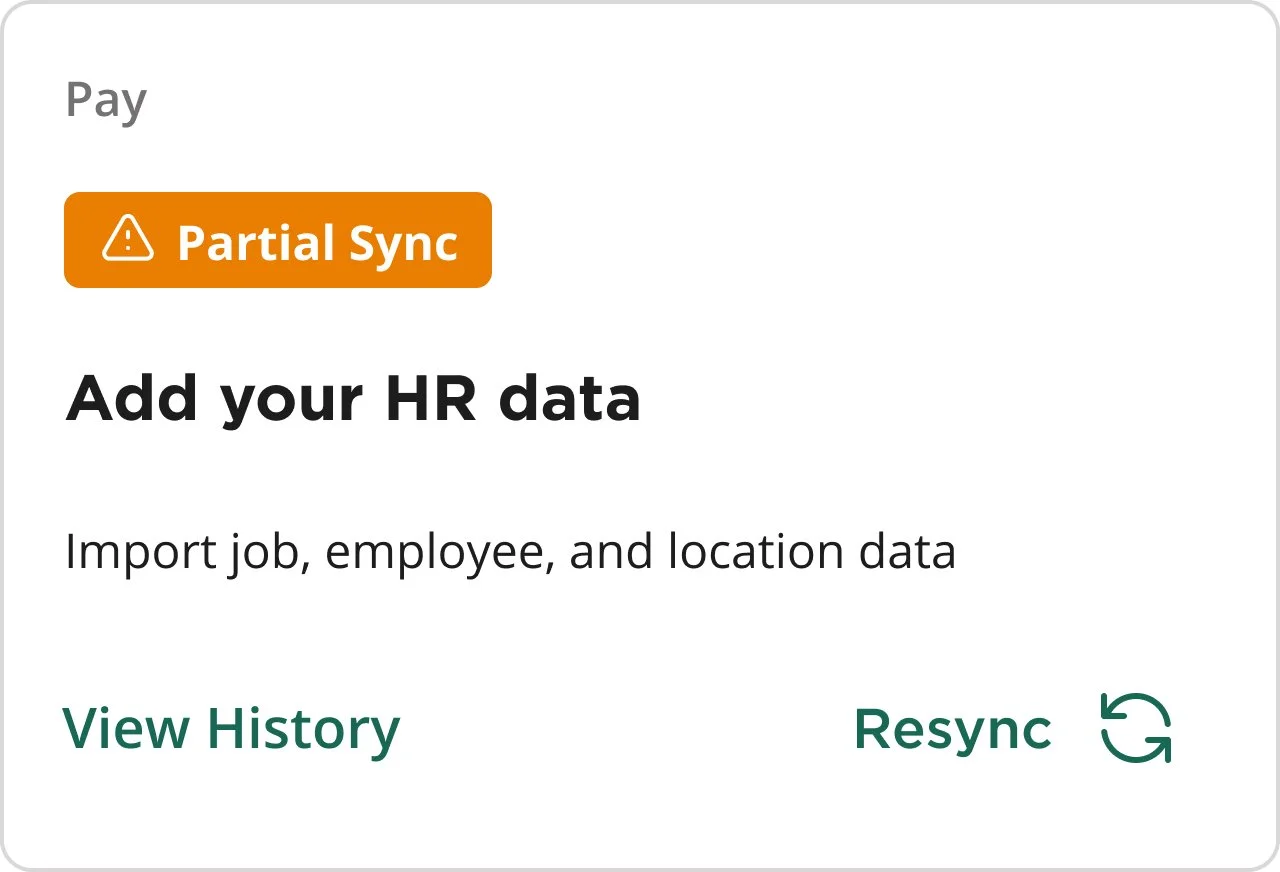
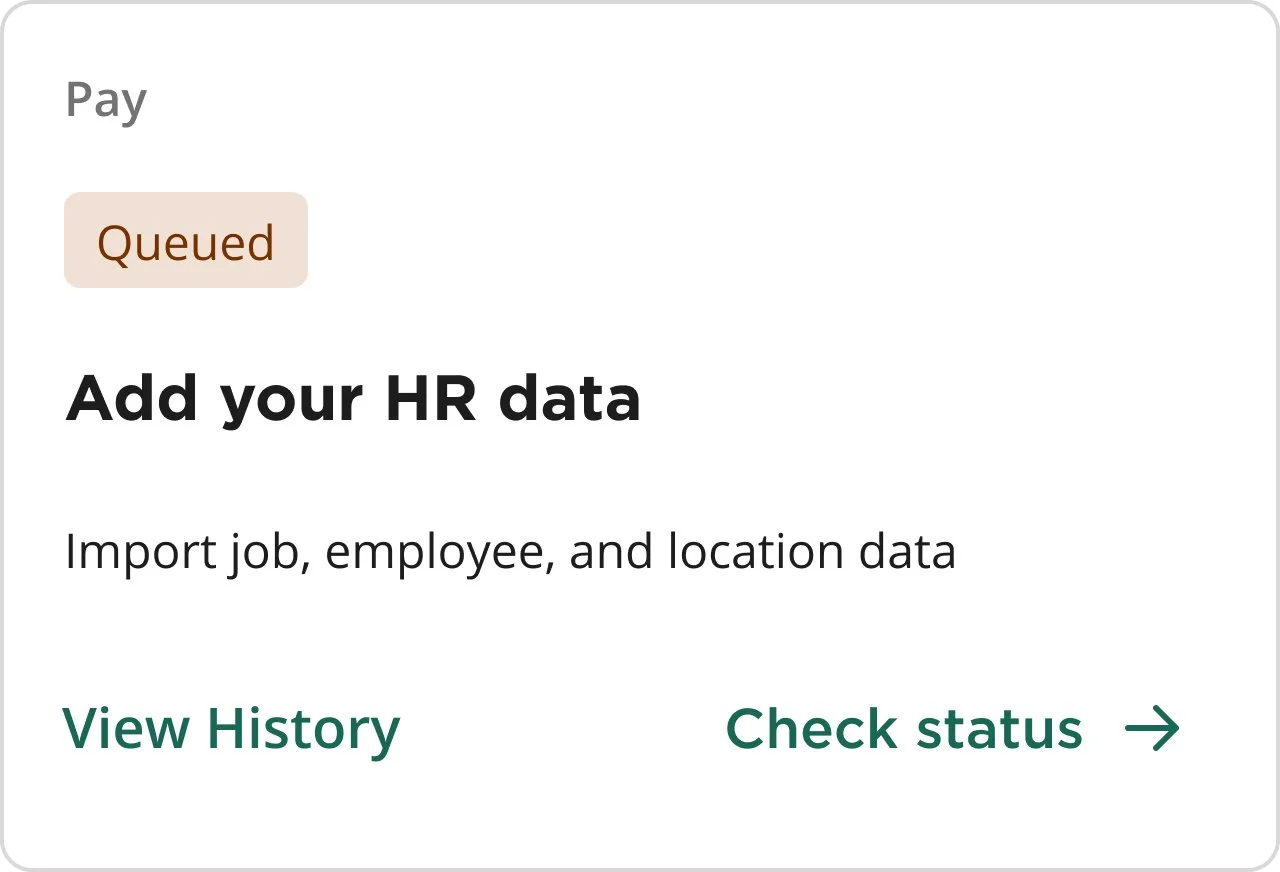
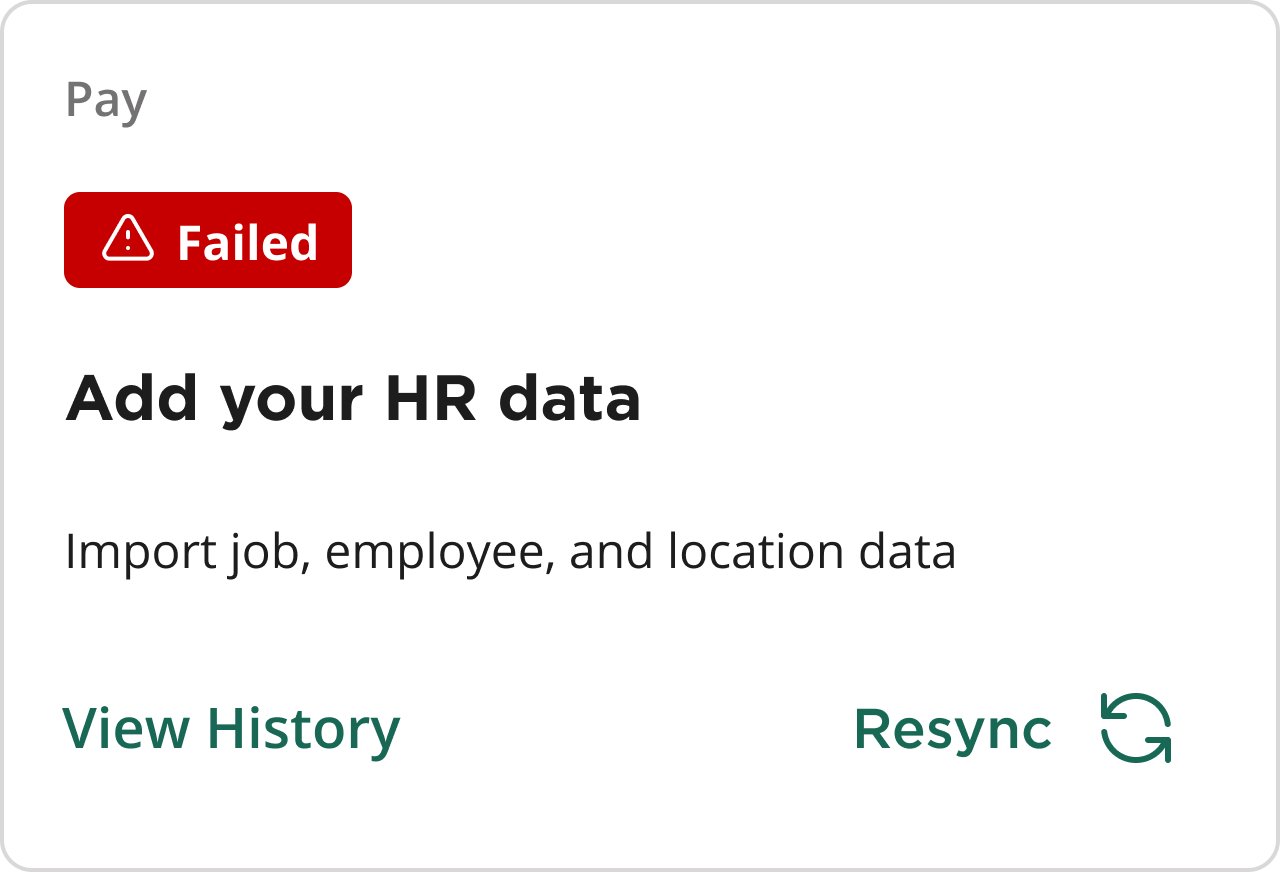
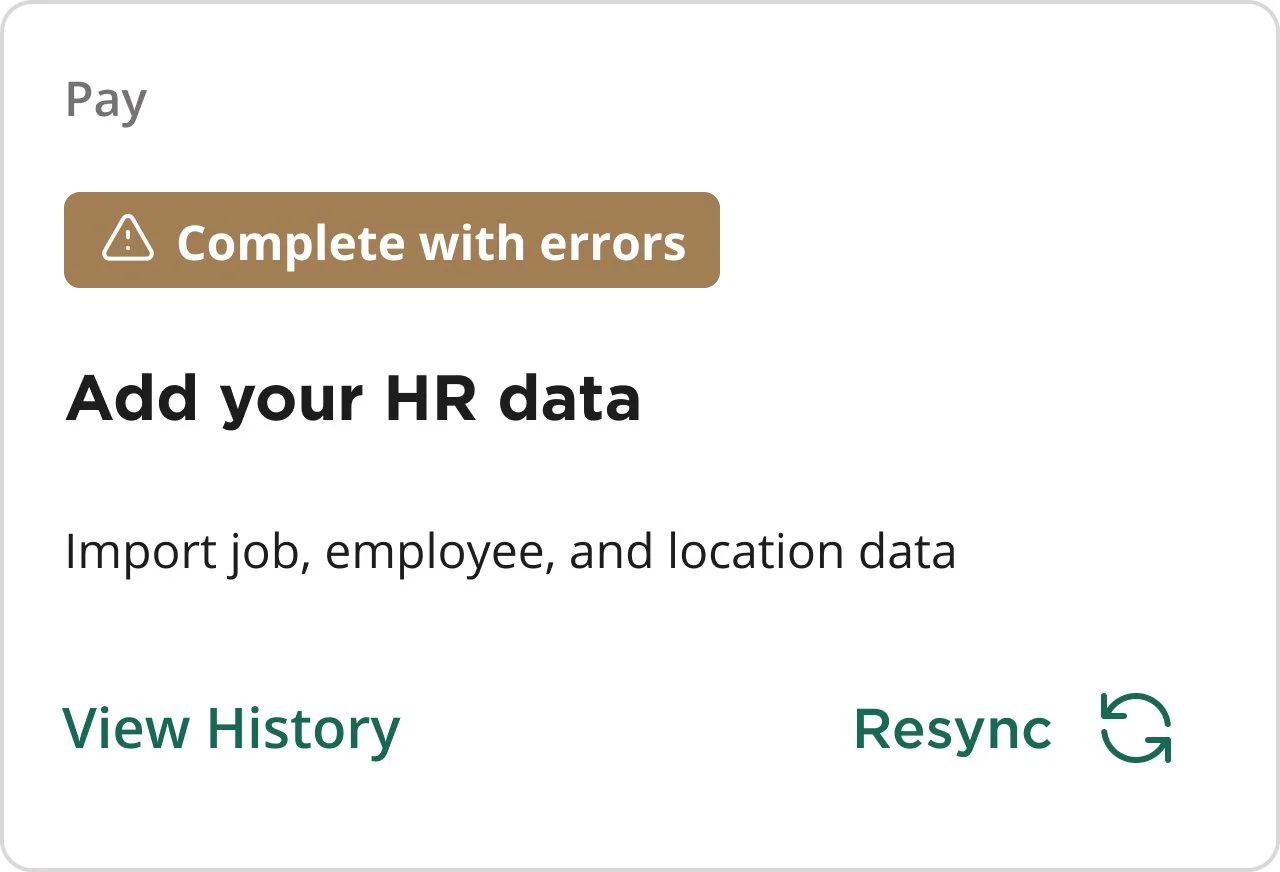
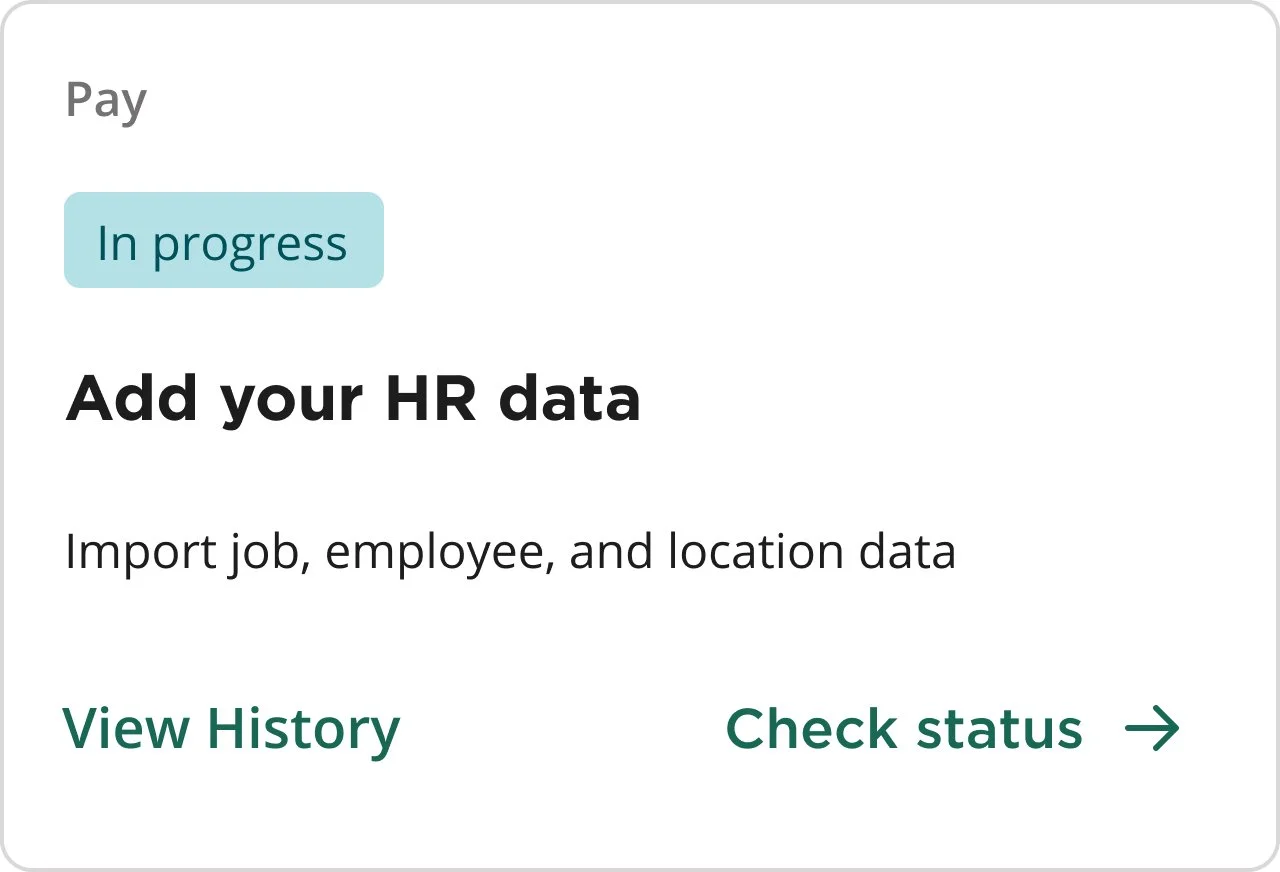
Users can access sync and upload history directly from the relevant status cards on the dashboard or landing page. The history is organized by data type (e.g., jobs, employees) and shows a searchable table view categorized into successful and failed syncs or uploads. By default, users see the last 30 days of activity, helping them track system performance and troubleshoot issues quickly.
Data Import History - Landing Page
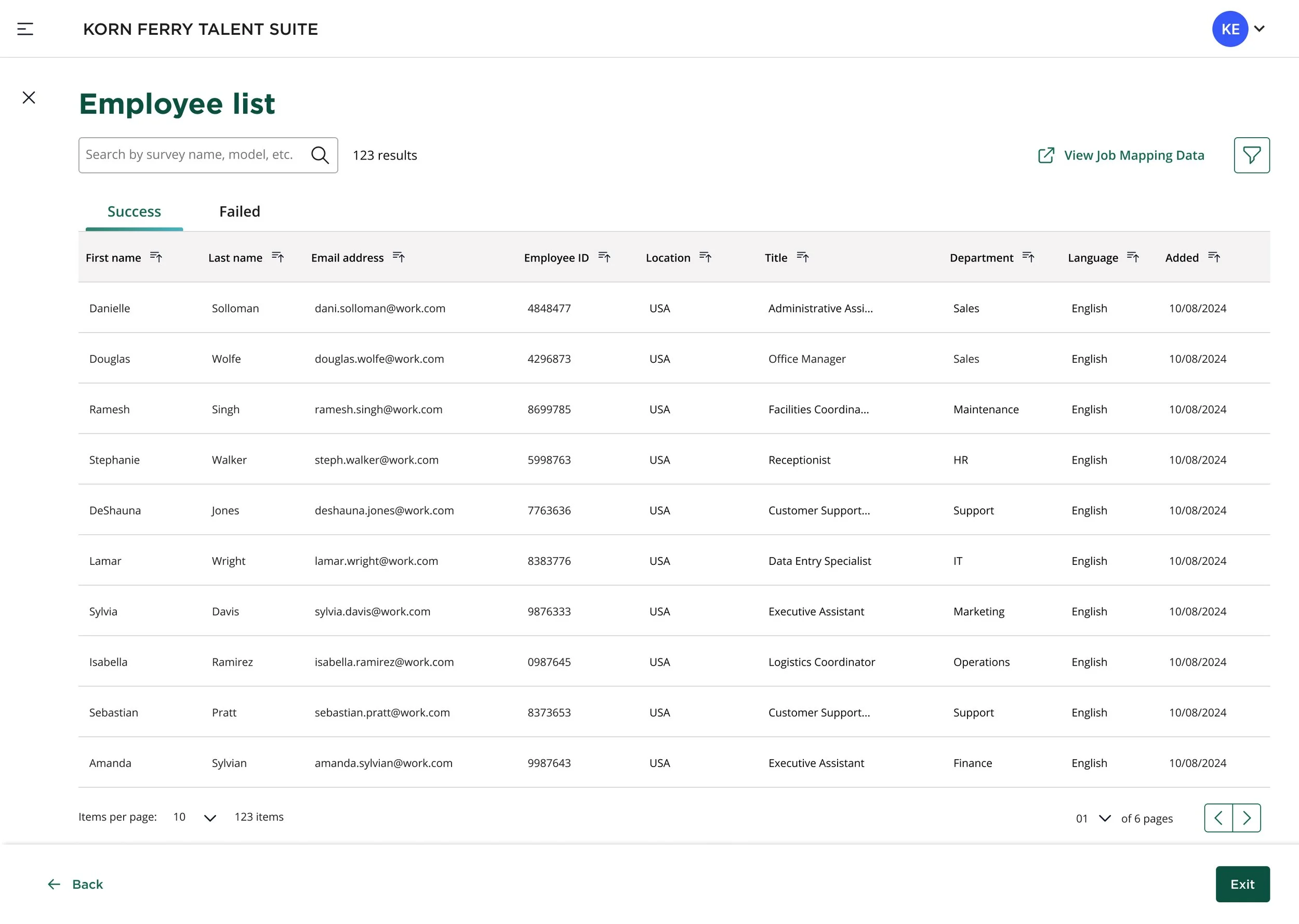
Data Import History - Job List Page
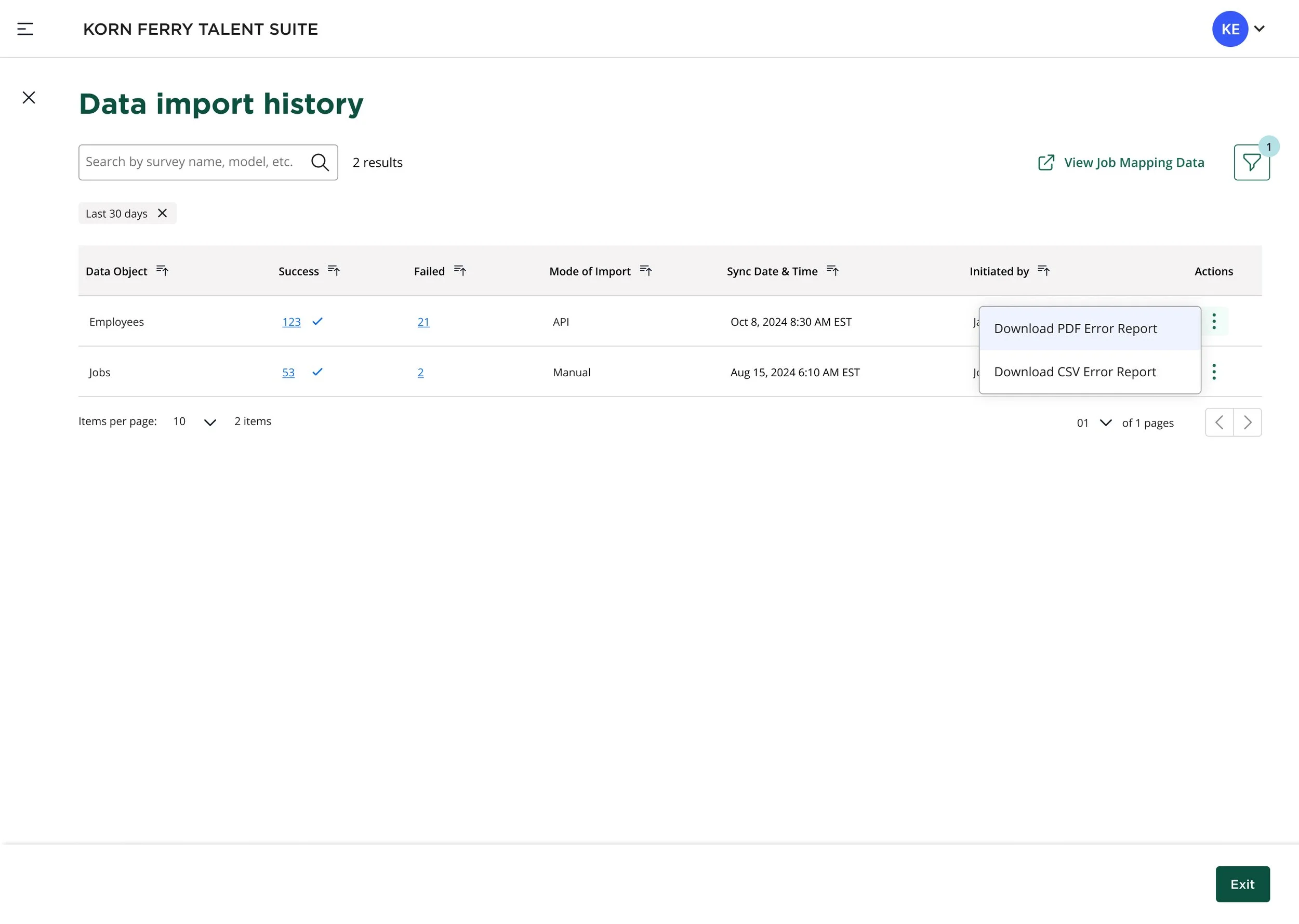
Data Import History - Employee List Page
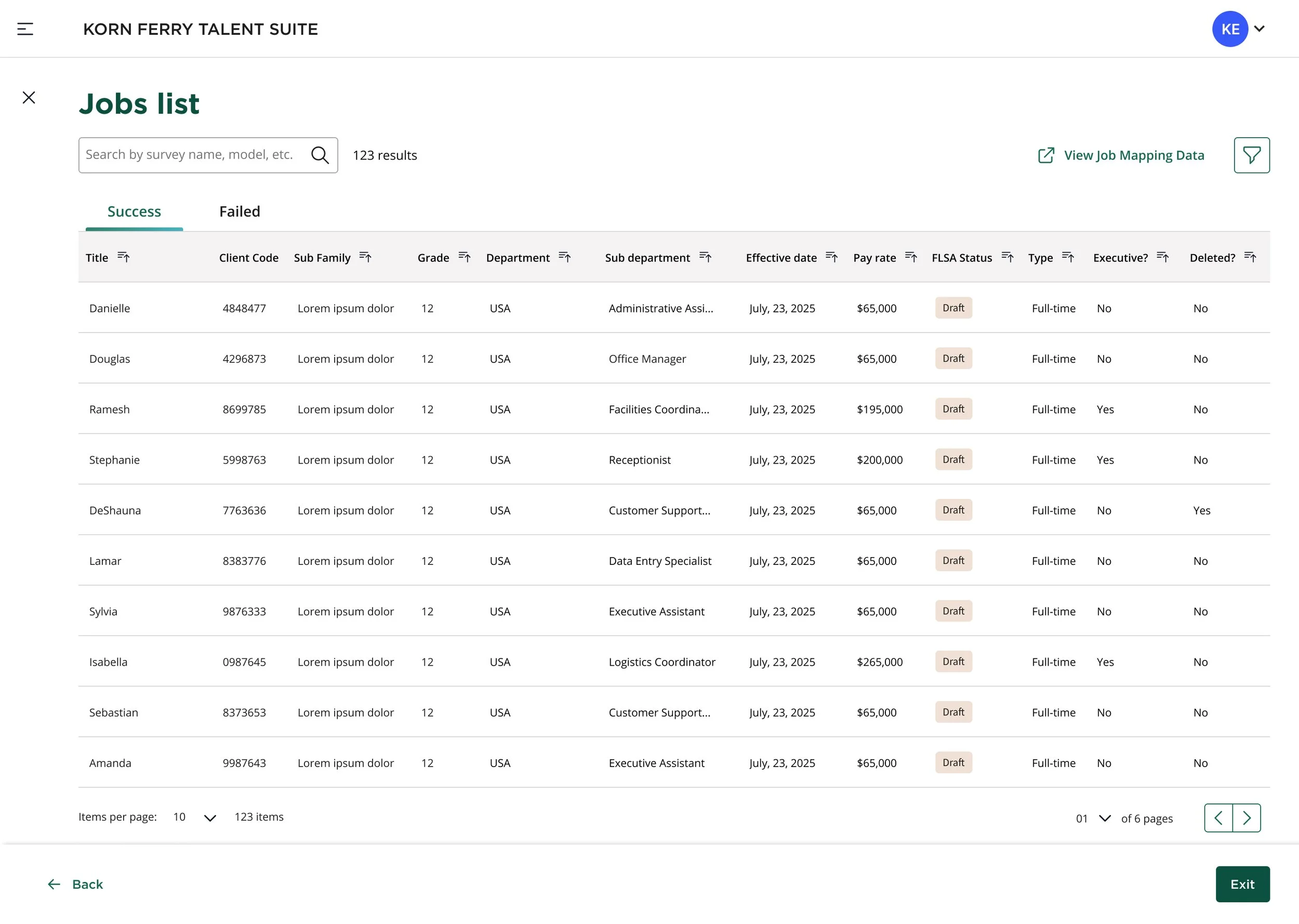
Product/Feature B
Current-state (RBAC) User Access Management Flow
RBAC (Role Based User Access) is part of the platform-side of the KFTS (Korn Ferry Talent Suite) user experience. Who are the RBAC users? There are 2 core user-types. Korn Ferry Super Admins are Korn Ferry's internal platform administrators who have full system-wide access and control across all client instances. They are responsible for configuring, maintaining, and managing the entire HCM platform at a global level.
Client Onboarding Admins are client-side users with elevated privileges to set up and configure their organization’s instance during initial onboarding and system setup. They handle the initial configuration of the HCM system for their organization but have limited access compared to Super Admins.
Pain-points within current-state RBAC User Access experience:

No Unified Dashboard Experience
In the current state, users access each KFTS app or tool solely through the global navigation—there’s no centralized landing page to view or launch tools.Limited Granularity in KF One’s Existing RBAC Model
KF One’s permission model is overly simplified and doesn’t provide the depth or flexibility required to support modern, complex client needs. This results in users being over‑permissioned or under‑permissioned, reduces security and compliance, and forces workarounds that degrade the UX.
Fragmented Role-Based Access Across Platforms
In the current ecosystem, each KFTS platform (HUB, KF One, and KF 360) manages its own users, roles, and permissions separately. This creates siloed access control, where administrators must repeat work across multiple systems just to keep user access in sync. The lack of a unified RBAC model leads to inconsistent permission logic, duplicated configuration, and increased administrative overhead. As a result, the overall management experience feels disjointed and error‑prone, especially for organizations using multiple Korn Ferry tools (e.g. tools Profile Manager, Select, Architect, Select, Pay, etc.).
Inconsistent UI/UI Patterns Across Tools User Access Experience
Each application also uses different UI/UX patterns for access and permissions, making the overall experience inconsistent and harder to learn, especially for users working across multiple KFTS tools
No Existing Integration Between HUB and KF One / KF 360
HUB currently functions independently without direct integration into KF One or KF 360, meaning user access, role definitions, and organization-level settings cannot be shared or managed across systems. Users often have to navigate between platforms manually, and administrators lack a single source of truth for user management. This creates confusion, delays onboarding, and introduces risk because access changes in one system do not automatically update in the others.
Expanded UX/UI Improvements to RBAC
1. Centralized Management Across the Talent Suite
We are creating a unified, centralized management experience where all user, role, and client settings can be controlled from a single location. This streamlines workflows for administrators and reduces the cognitive load of switching between platforms. By consolidating access control into one consistent interface, we eliminate duplication, align patterns across the suite, and establish a scalable foundation for future product integrations.
2. Flexible, Customizable Role Configuration
The new RBAC experience introduces a granular, modular permissions framework that empowers administrators to configure highly tailored roles. Instead of relying on rigid preset permissions, admins can now create custom roles that map directly to the responsibilities, workflows, and compliance requirements of each client organization. This ensures users only see what they need—improving security, clarity, and overall usability.
3. Dynamic Role Assignment Through User Attributes
User attributes (e.g., department, job title, region, manager status) can now be used to automatically assign permissions and roles. This makes access control more flexible and scalable, especially for large or evolving organizations. As user attributes change, their access updates dynamically, reducing manual admin work and improving accuracy across the entire system. This also ensures compliance and reduces risk by eliminating outdated or incorrect role assignments.
Product/Feature B1
Current-state User Access Manual/Bulk Add Users Feature
-

Landing page dashboard entry point, now includes "Your Products" component area with links to relevant KFTS tools, and left nav global navigation link to User Access Management page and features.
-
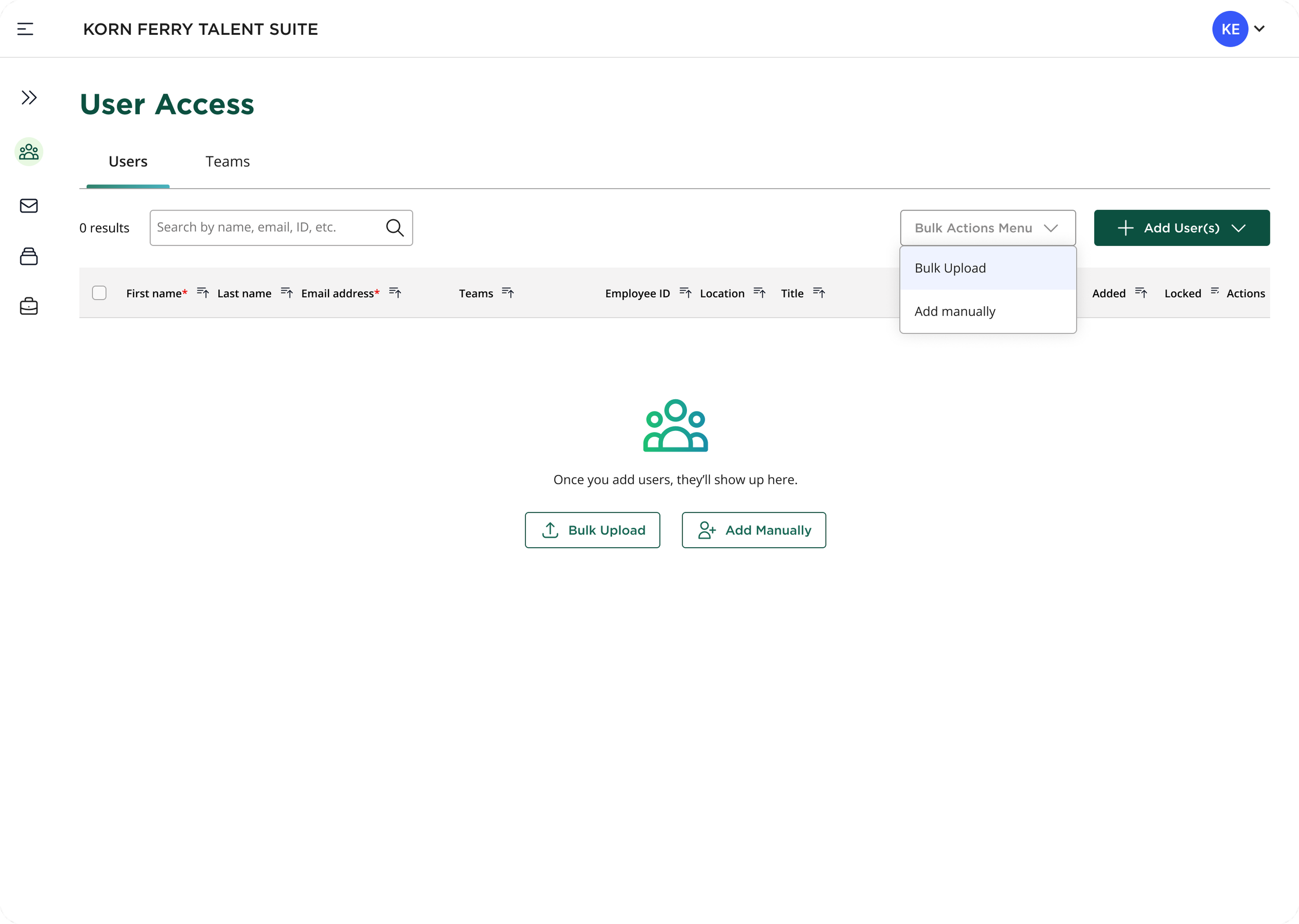
Default tabbed landing page for User Access Management (no users added view). Ability to add users bulk and/or manually, as well as search users.
-
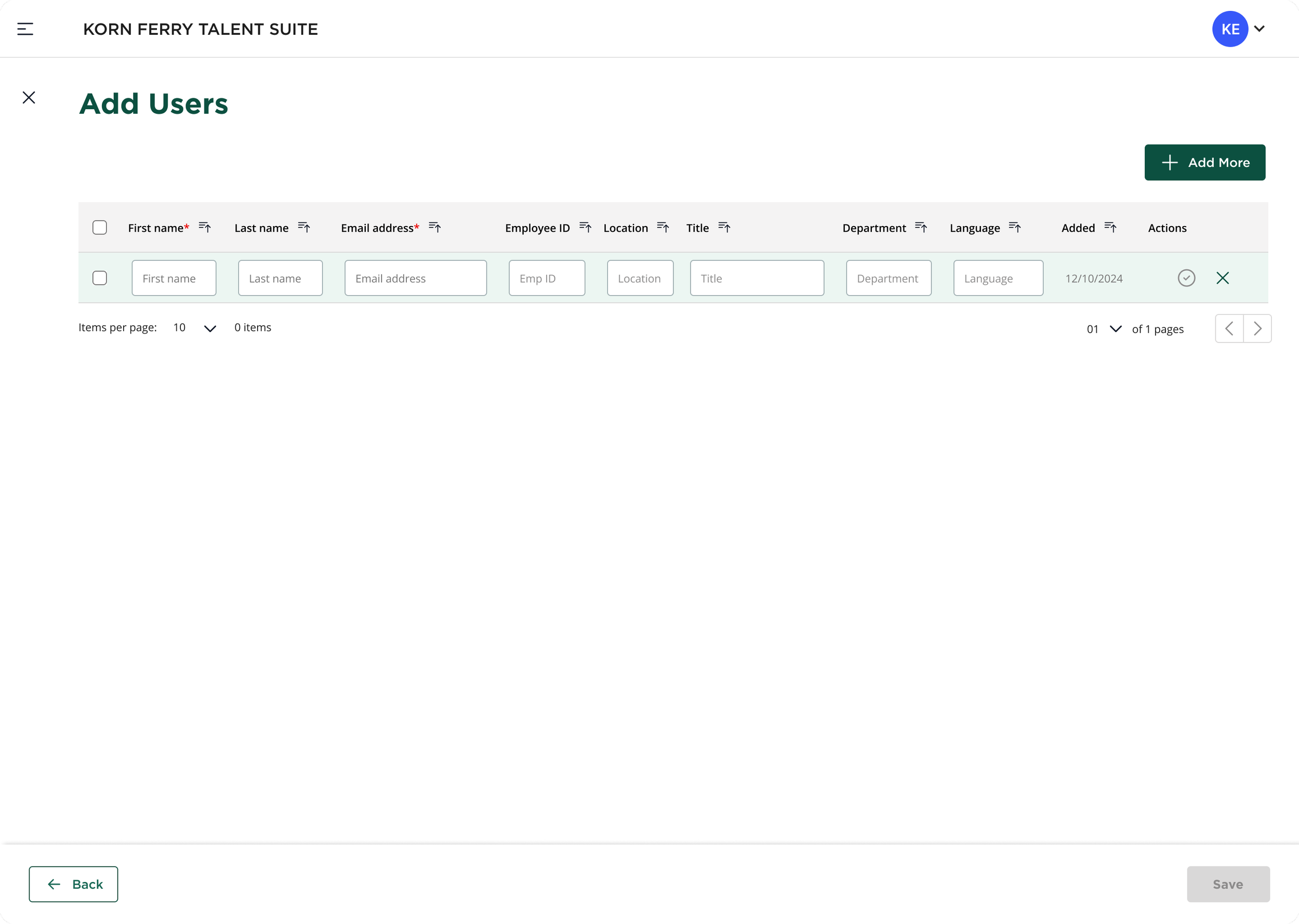
Ability to add users manually (one-by-one) via data table form components.
-
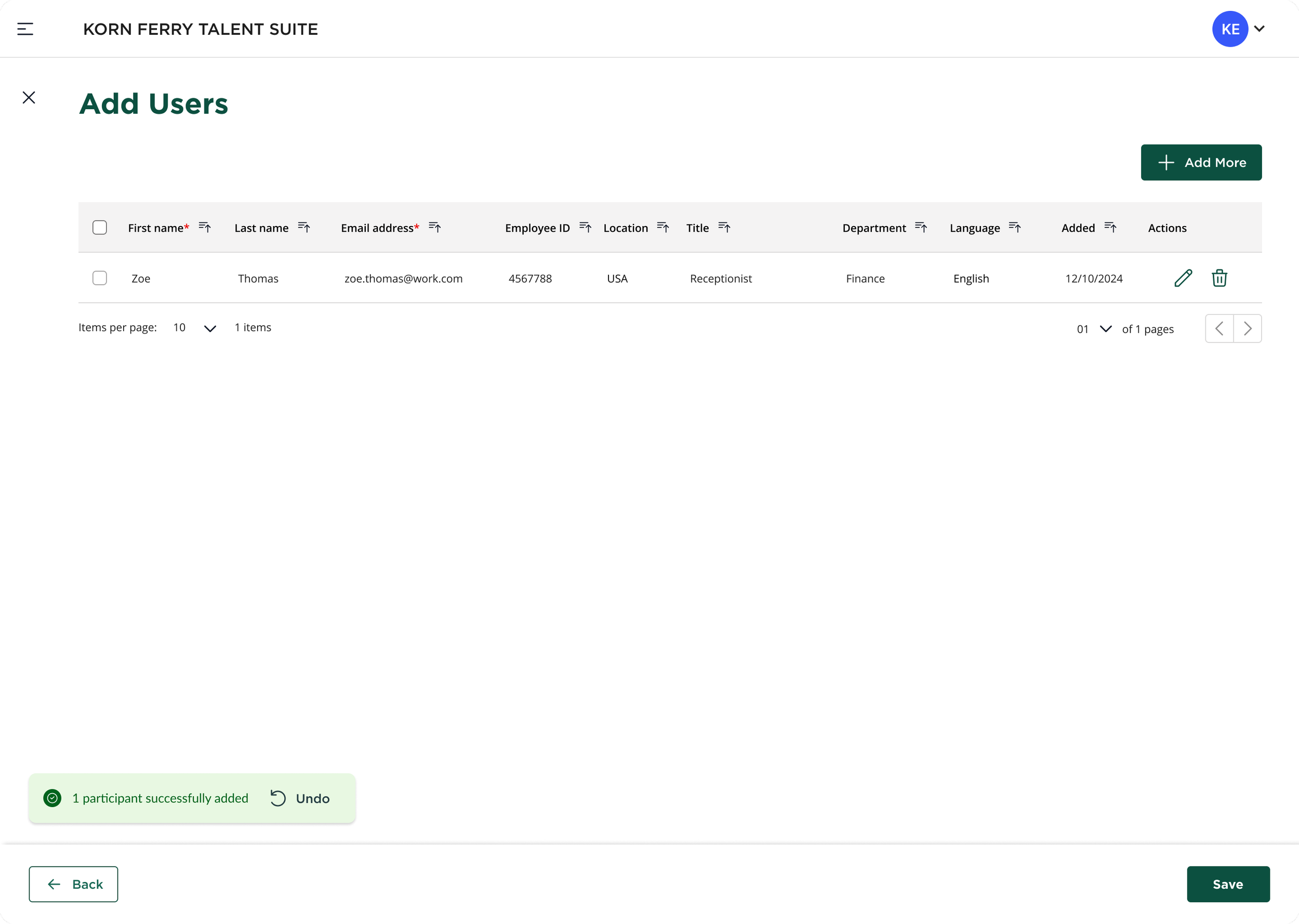
Success toast confirmation communication for successfully added user.
-
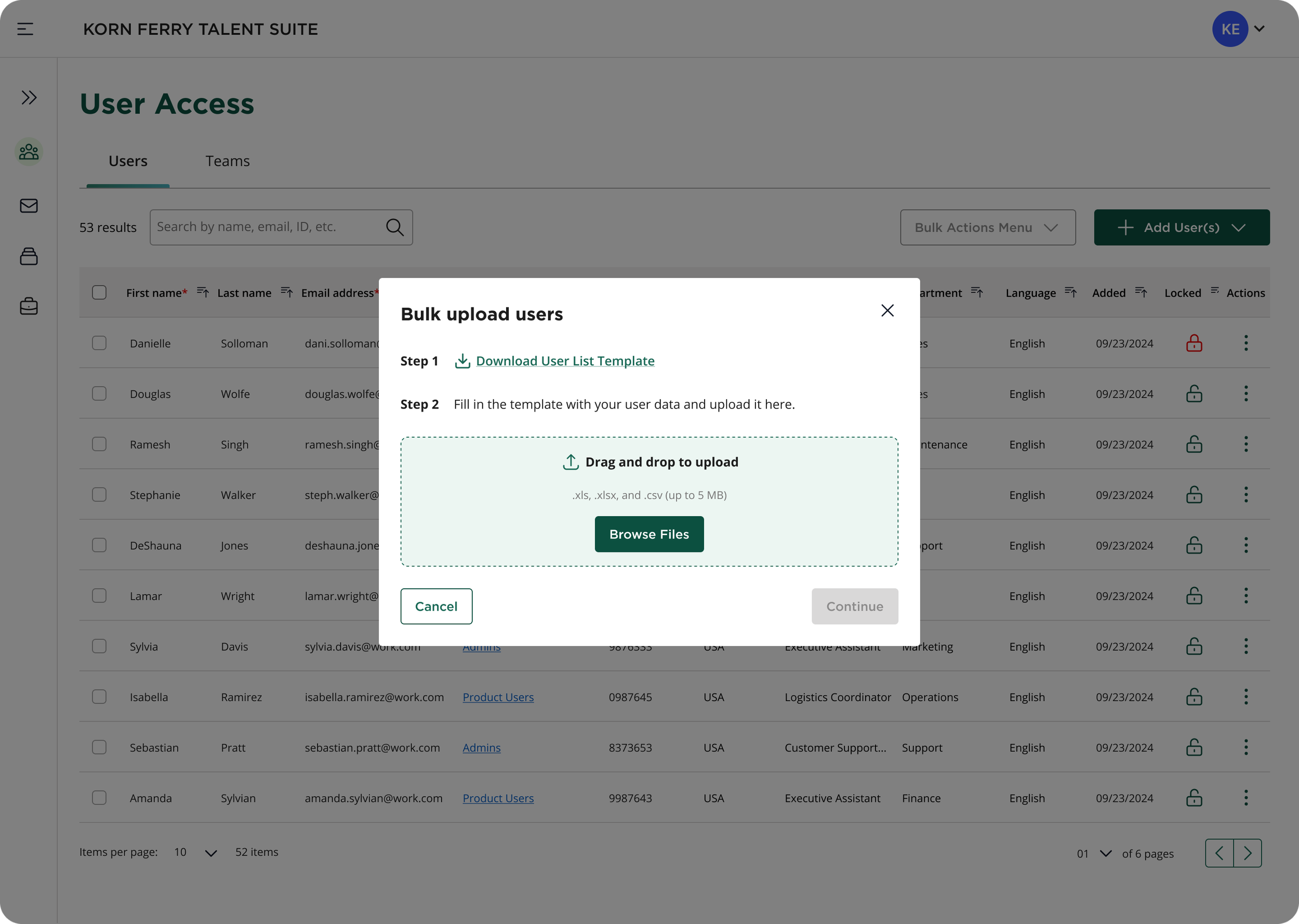
Ability to add users via bulk data file upload.
-
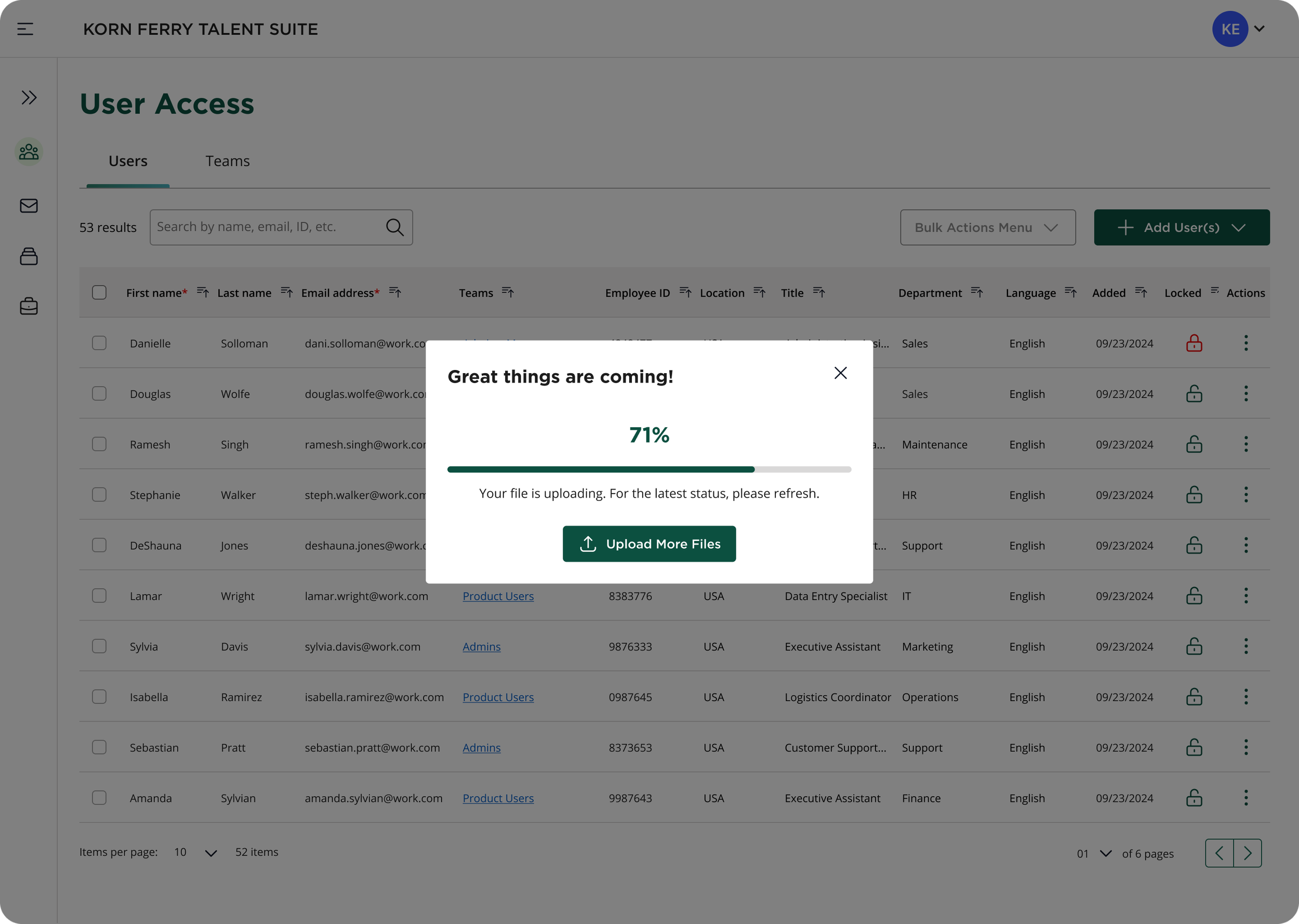
Progress indicator modal with additional file upload button.
-
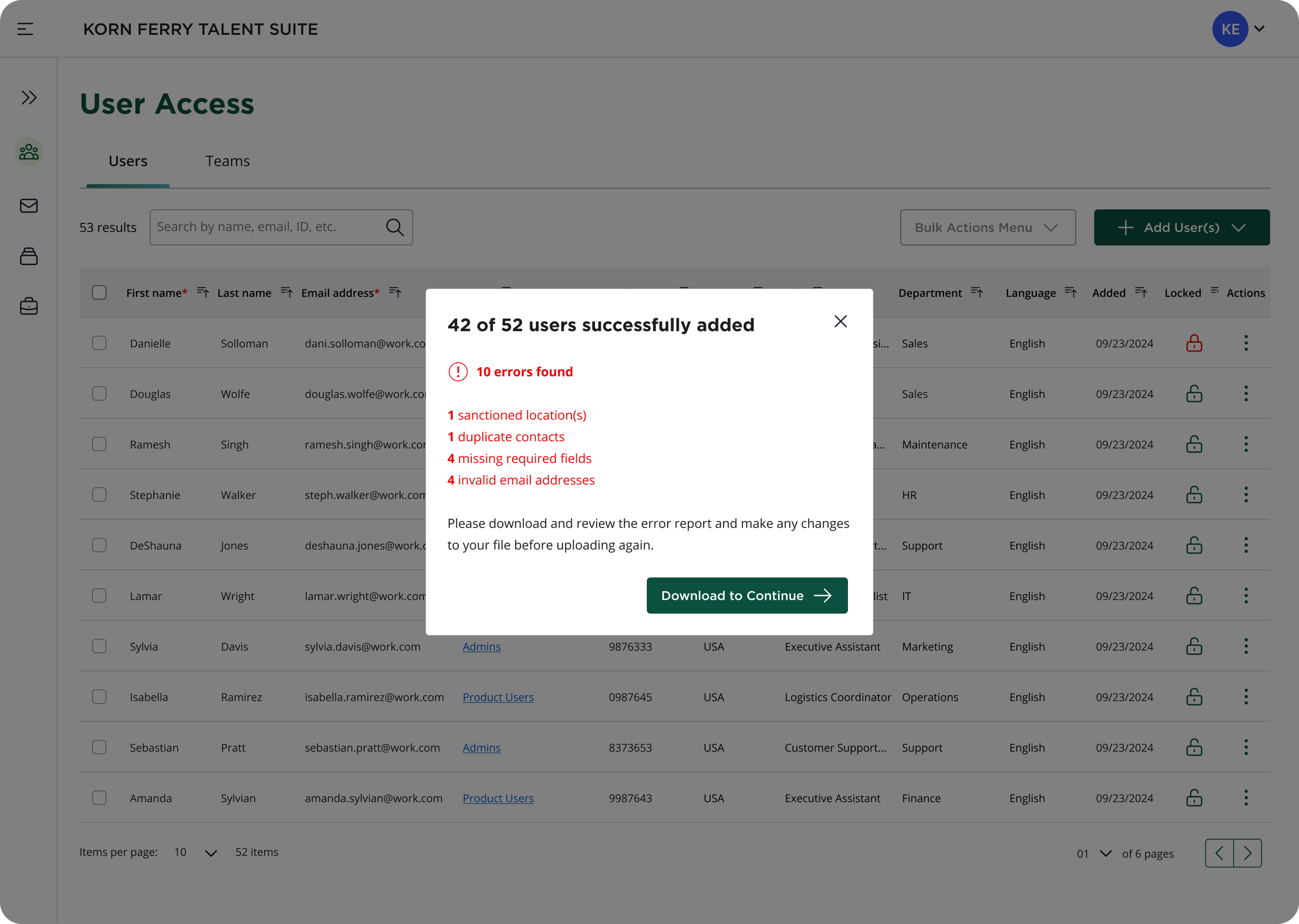
Partial bulk upload modal communication with error listing messaging and error template download.
Product/Feature B2
Current-state Lock, Unlock, Delete, and Deactivate Users” Feature
-
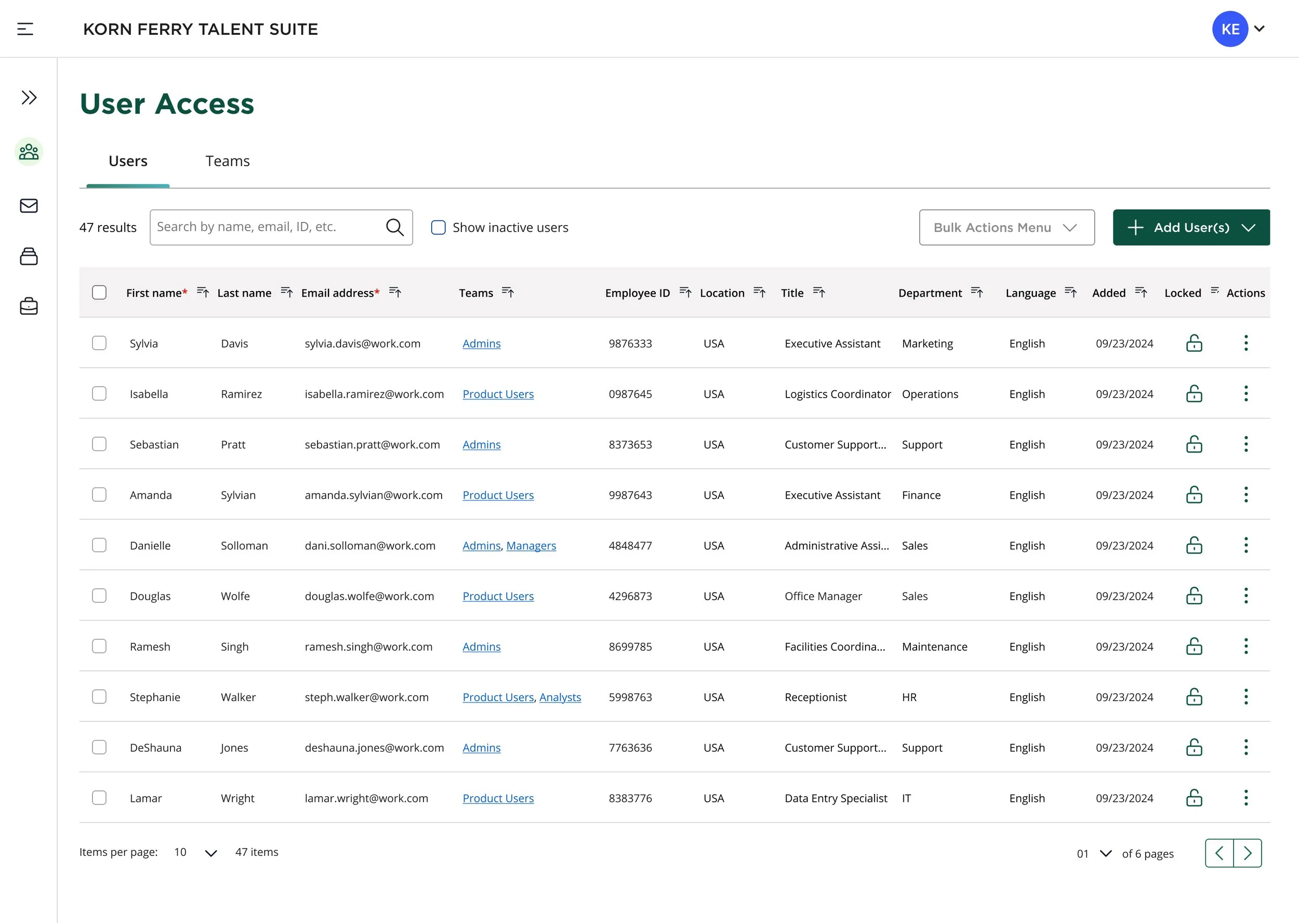
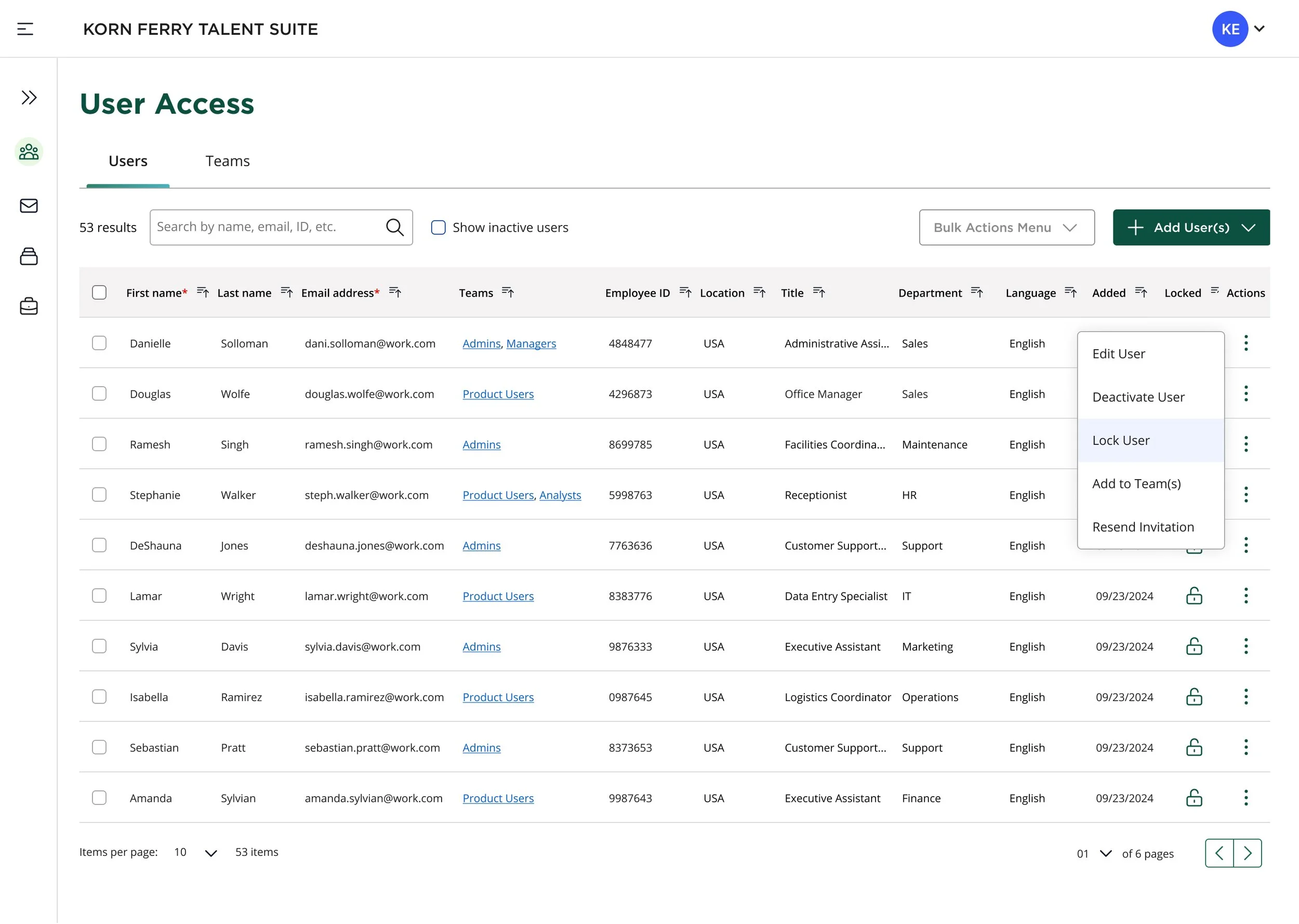
User list page with the ability to search, edit, lock/unlock, activate/deactivate users.
-
Inline drop-down menu actions available per each user row in data table list.
-
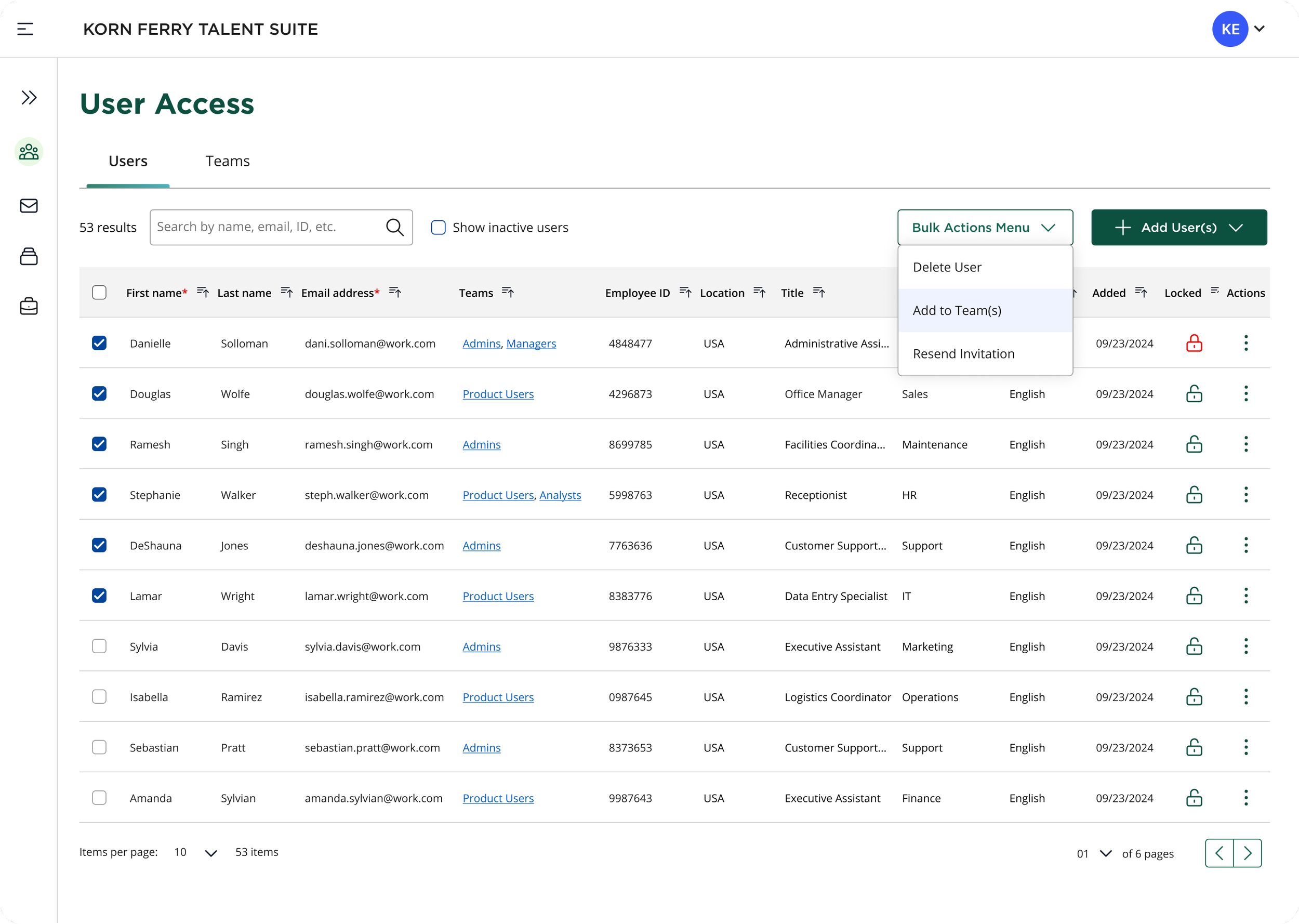
Multi-select users from user list to activate bulk menu options drop-down.
-
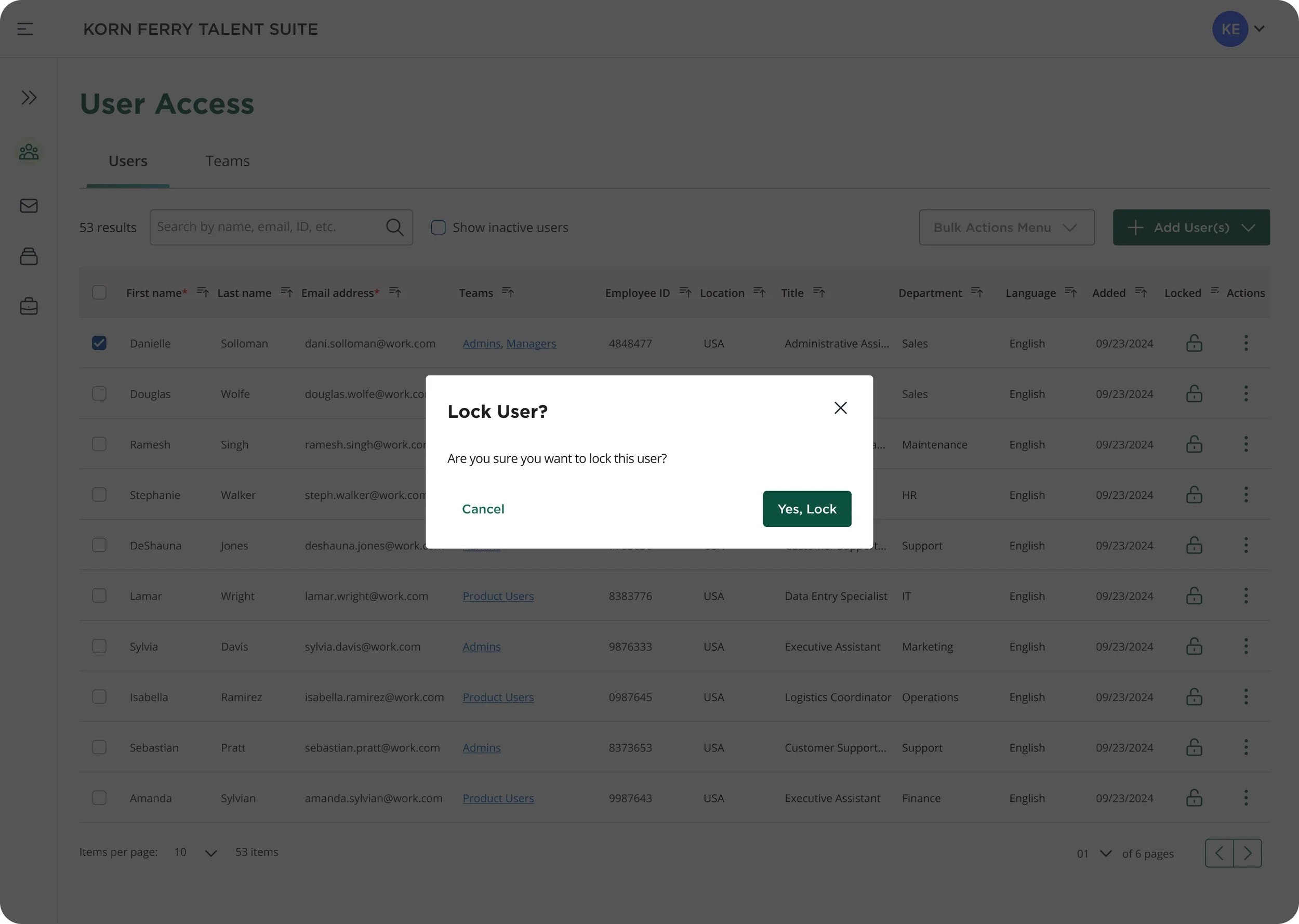
Modal prompt to lock selected user(s).
-
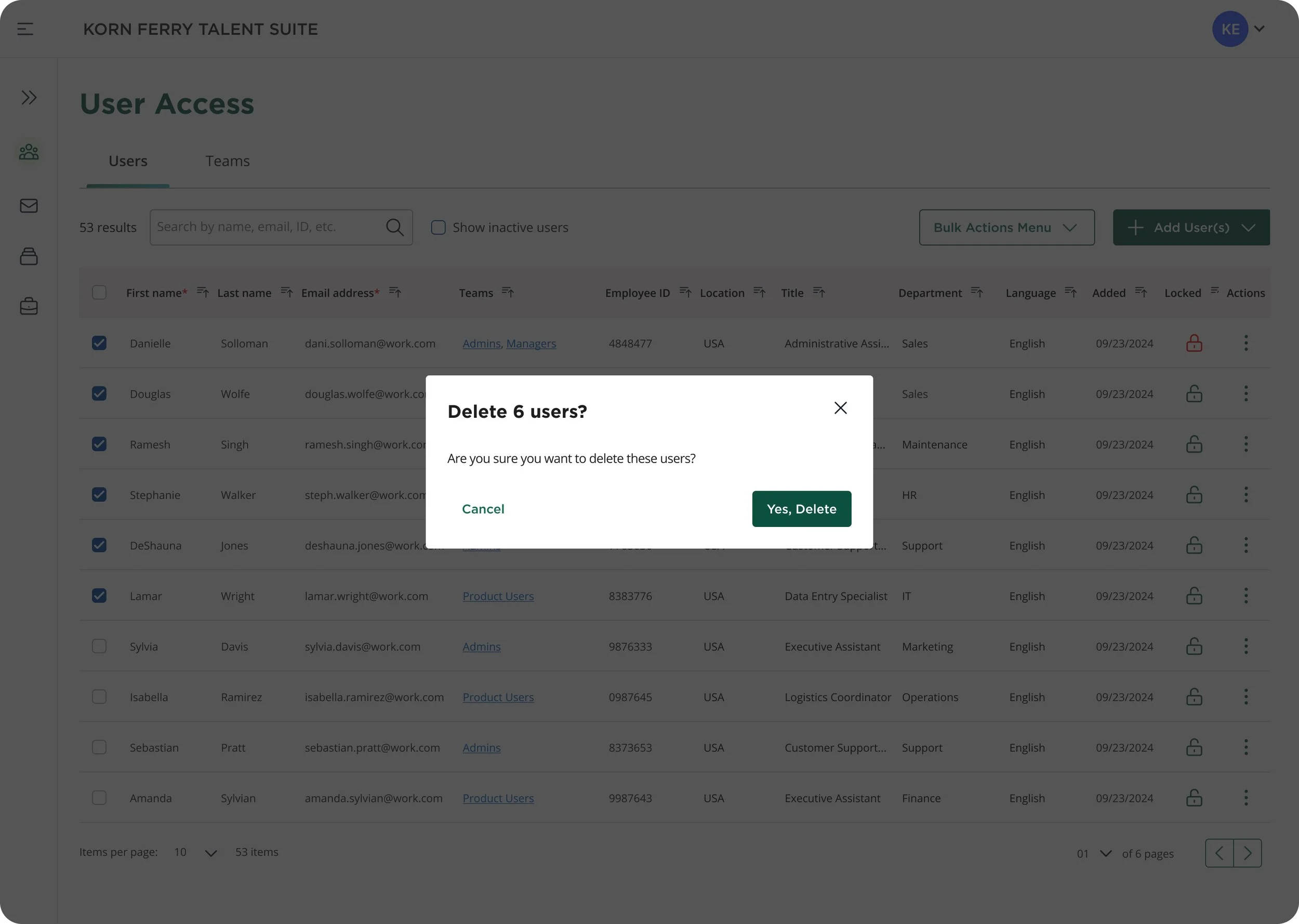
Modal prompt to delete selected user(s).
-
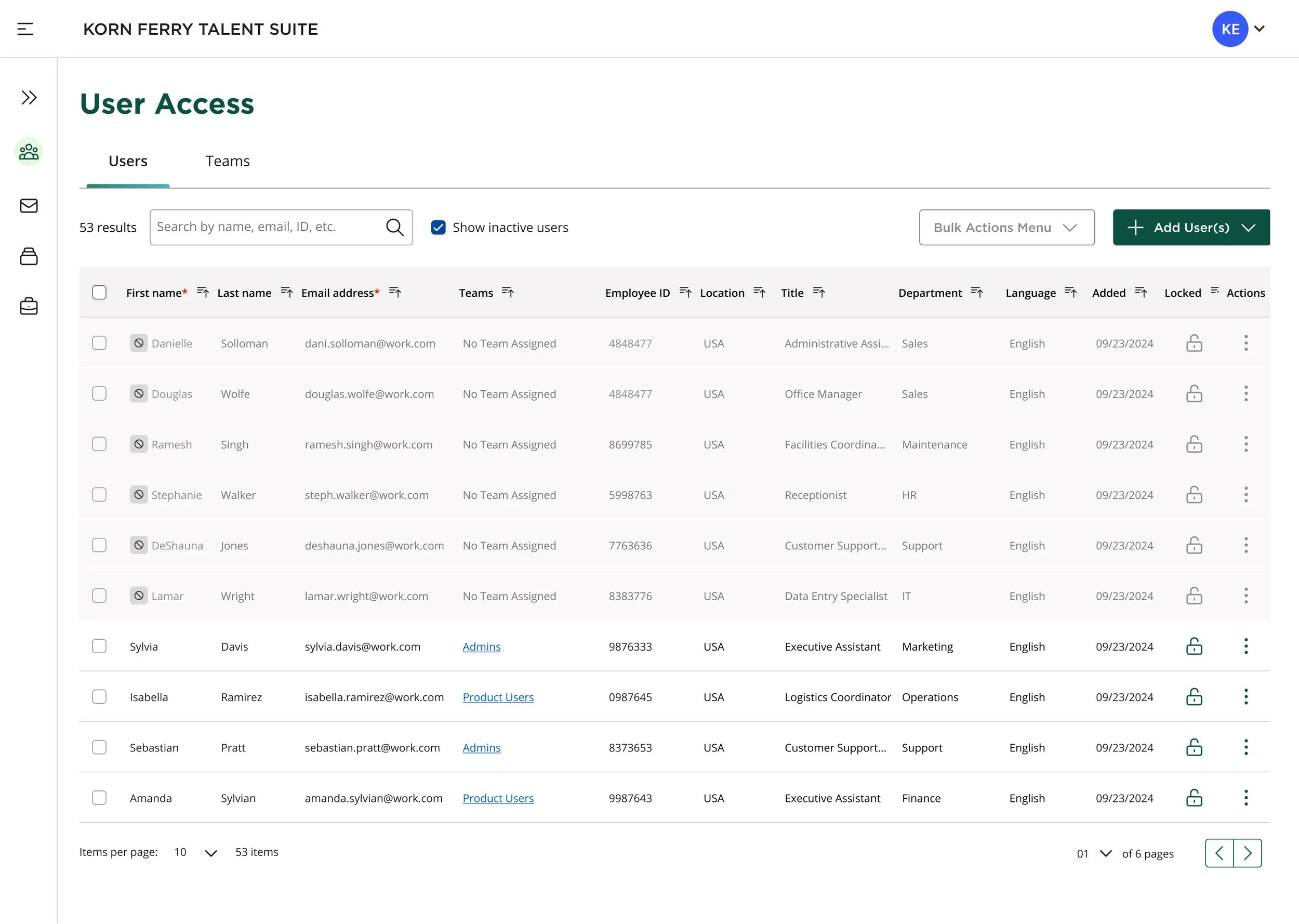
Data table view of deactivated row-state of users in user list.
Product/Feature B3
Current-state Create, Edit, and Delete Teams Feature
-
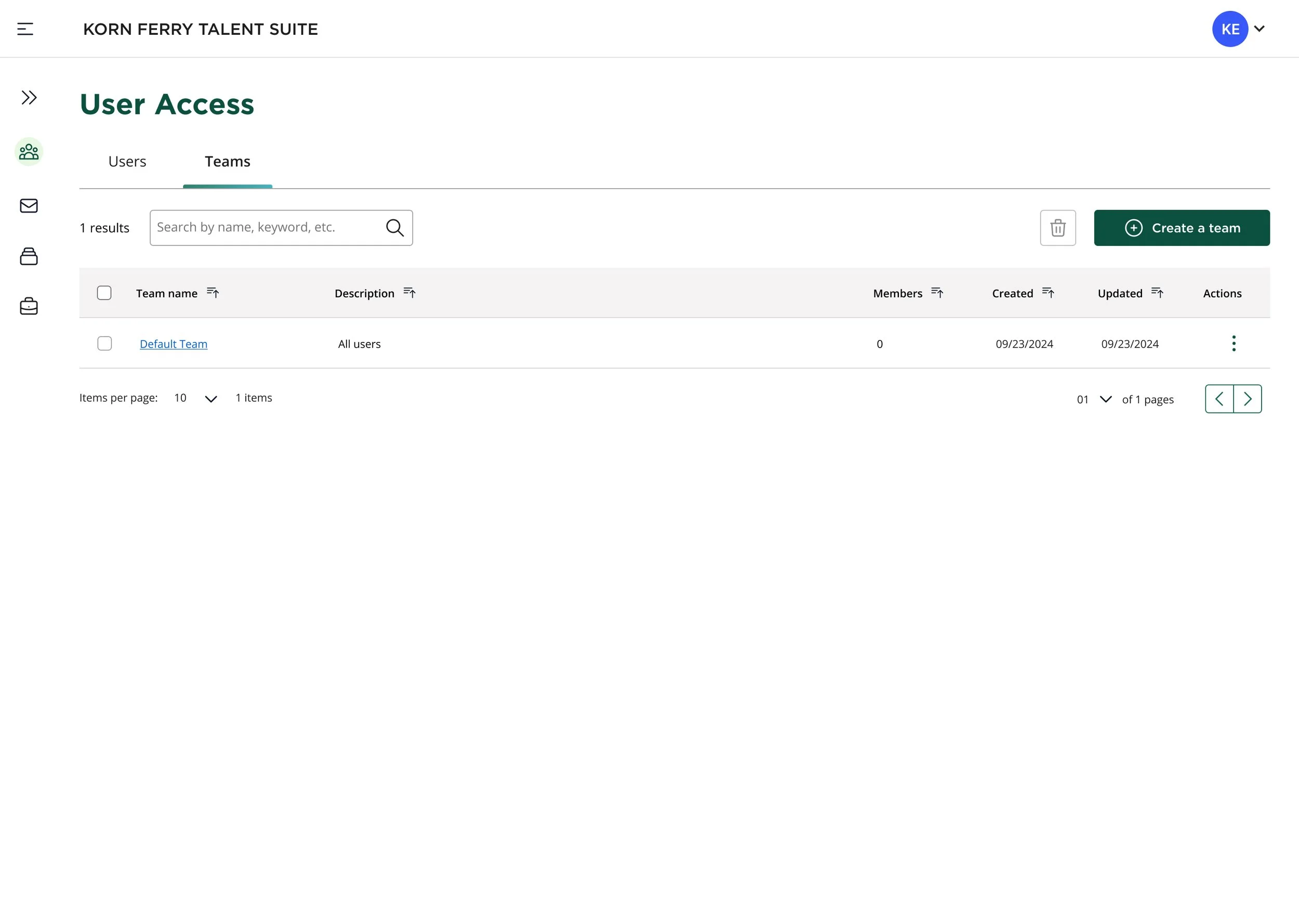
By default, all users are initially grouped into a single catch-all team in the data table. From there, new custom teams can be created by selecting specific users.
-
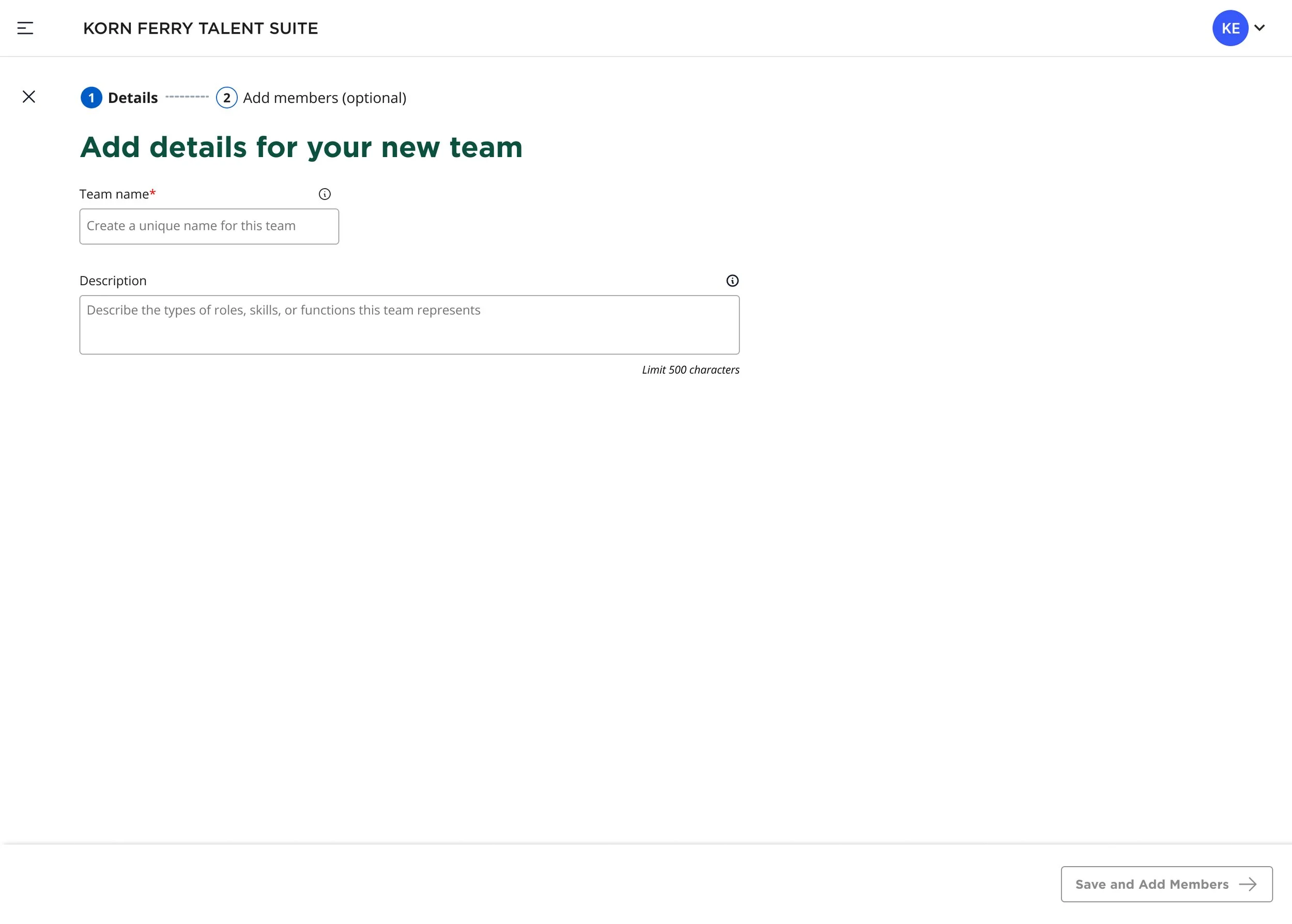
Add team details.
-
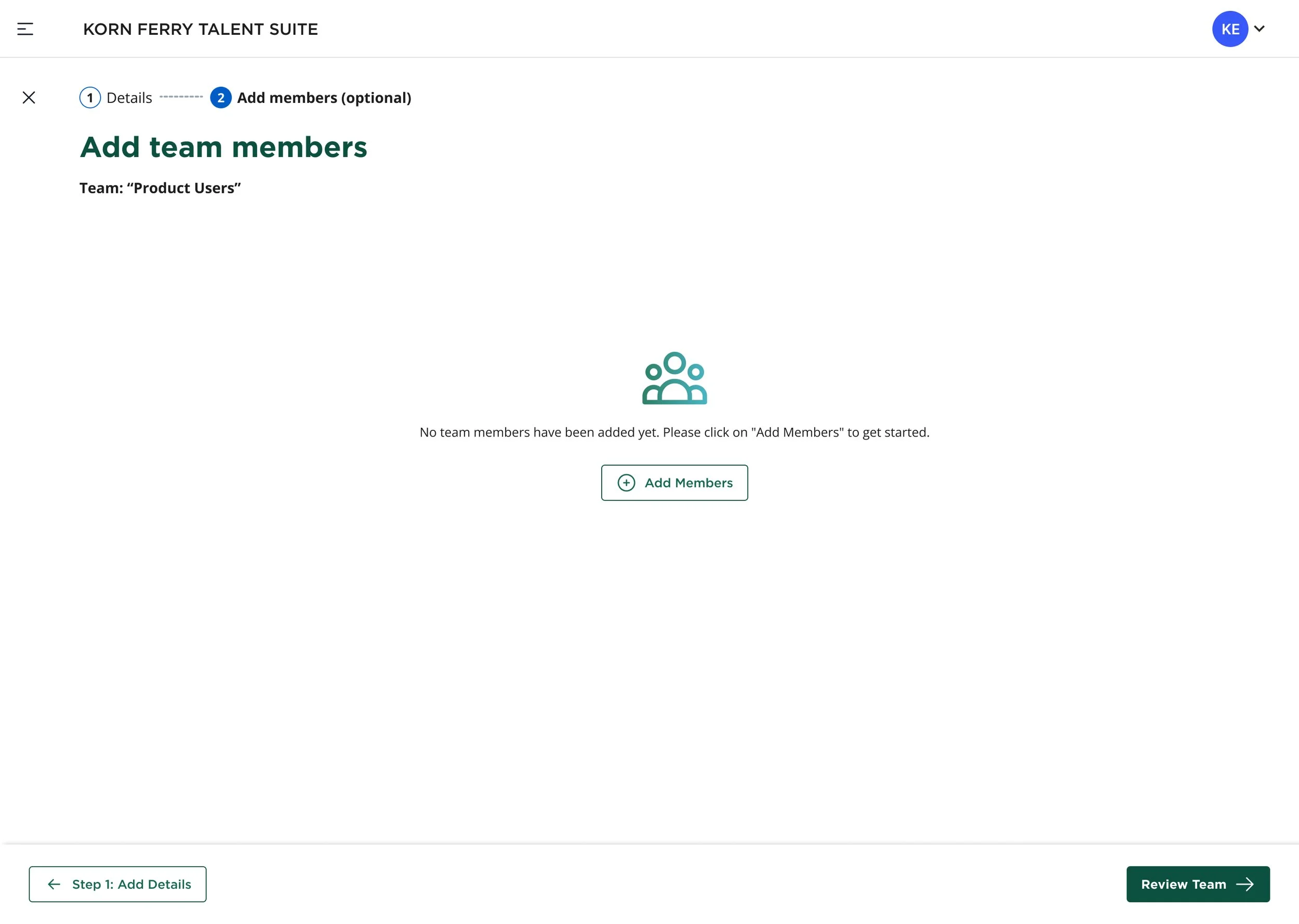
Add team members from user list.
-

Success toast confirmation communication for successfully created team and added users.
-
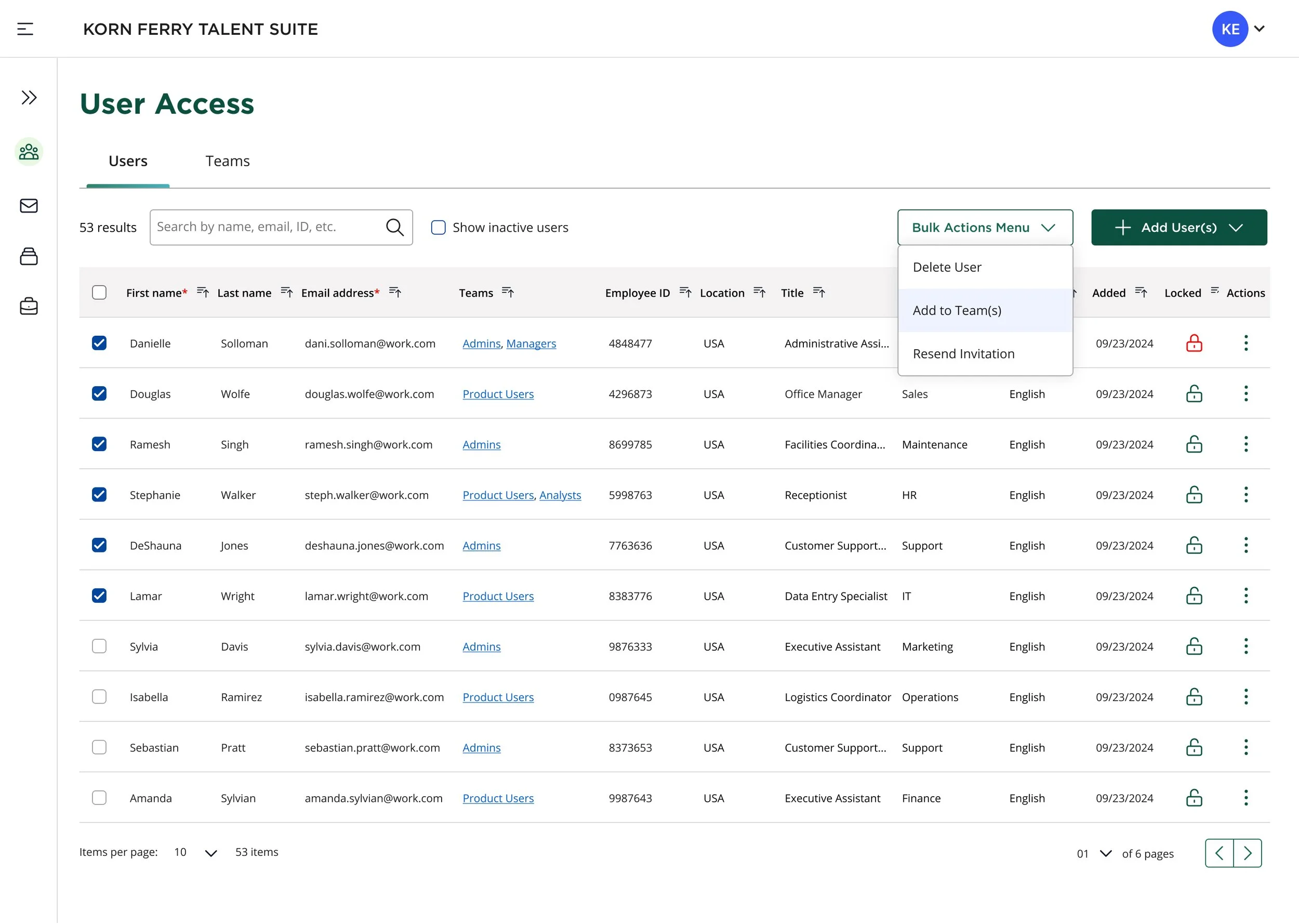
Bulk actions dropdown becomes active when two or more users are selected via checkboxes in the data table.
-
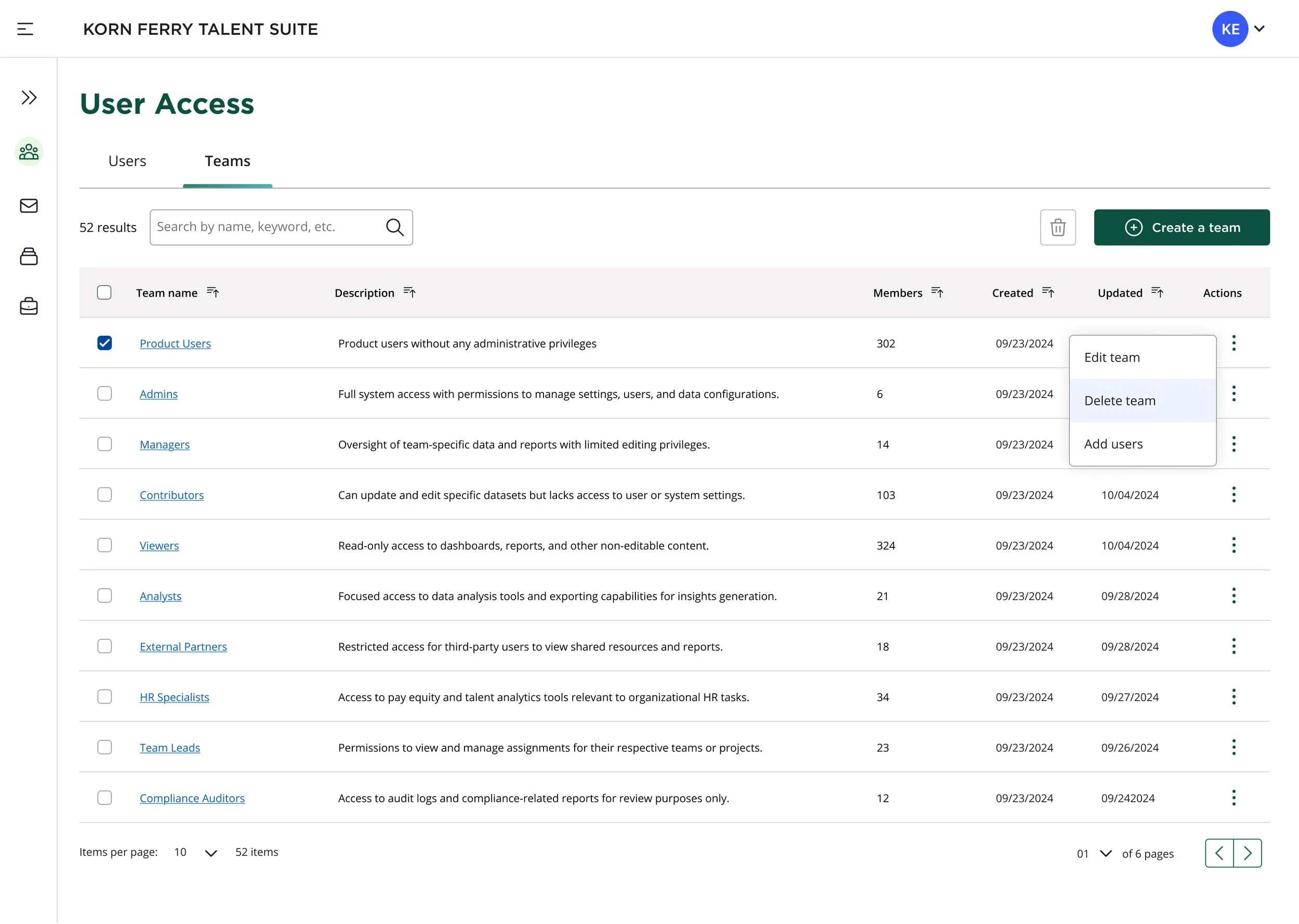
“Delete team” option from the kabob drop-down menu options.
End.
The completed design deliverables were prepped for handoff to the Dev Team for implementation, QA testing.